Get 69% Off on Cloud Hosting : Claim Your Offer Now!





- Products
- Solutions
-
Solutions
-
 Cloud
Hosting
Cloud
Hosting
-
VPS
Hosting
-
 GPU
Cloud
GPU
Cloud
-
 Dedicated
Server
Dedicated
Server
-
 Server
Colocation
Server
Colocation
-
 Backup as a Service
-
 CDN
Network
CDN
Network
-
 Window
Cloud Hosting
Window
Cloud Hosting
-
 Linux
Cloud Hosting
Linux
Cloud Hosting
-
Managed
Cloud Service
-
 Storage
as a Service
Storage
as a Service
-
VMware
Public Cloud
-
Multi-Cloud
Hosting
-
Cloud
Server Hosting
-
Bare
Metal Server
-
Virtual
Machine
-
 Magento
Hosting
Magento
Hosting
-
 Remote
Backup
Remote
Backup
-
 DevOps
-
 Kubernetes
-
 Cloud
Storage
Cloud
Storage
-
 NVMe
Hosting
NVMe
Hosting
-
 DR
as s Service
DR
as s Service
-
-
Solutions
- Marketplace
- Pricing
- Resources
- Company
 Remote
Backup
Remote
Backup NVMe
Hosting
NVMe
Hosting Pricing
Calculator
Pricing
Calculator Unlock Cost
Optimization
Unlock Cost
Optimization Overview
 Documentation
 Price
Calculator
Price
Calculator Tools
Tools FAQs
FAQs Terms
of Service
Terms
of Service Privacy
Policy
Privacy
Policy
 Migration
 Container
 Power
Power
 Utilities
 VMware
Private Cloud
VMware
Private Cloud VMware
on AWS
VMware
on AWS VMware
on Azure
VMware
on Azure Certifications
 Partners
 Careers
 Support
 Service
Level Agreement
Service
Level Agreement  Contact
Table of Contents
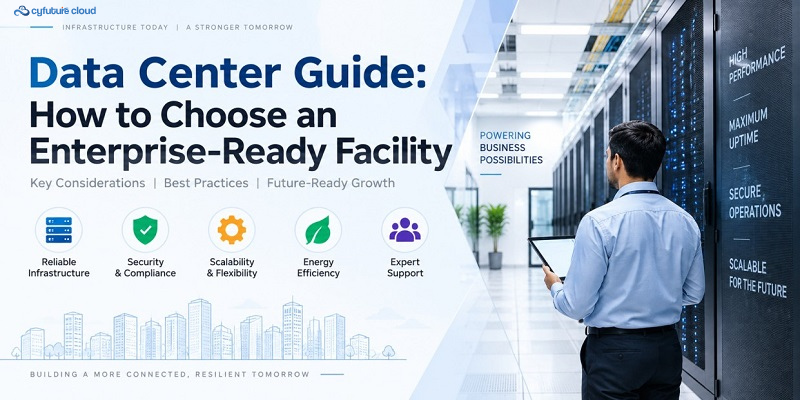
As enterprises push more workloads into the cloud and onto GPU clusters, the physical infrastructure underneath has become a competitive differentiator, not a back-office line item. A modern data center determines how fast your services load, how well you survive a regional outage, and whether your compliance team sleeps at night.
This guide breaks down what “modern” actually means in 2026, the features worth verifying before you sign a contract, and how to decide between colocation, cloud infrastructure, and a hybrid cloud strategy. Cyfuture Cloud works with enterprises across BFSI, IT, and e-commerce to plan exactly this kind of infrastructure, so the criteria below reflect what buyers actually ask for in the room.
What Is a Modern Enterprise Data Center?
A modern enterprise data center is no longer just a room full of servers — it’s an engineered system built around redundancy, density, and connectivity. Tiered design standards, ranging from Tier I to Tier IV, describe how much redundancy a facility carries in its power and cooling paths, and therefore how confidently it can promise uptime. A Tier III facility supports concurrent maintenance without downtime; Tier IV adds fault tolerance for single-component failures.
Power and cooling design decide how much compute a facility can support per rack. Physical security decides who can reach that compute. Network density decides how quickly data moves in and out. None of these stand alone — a facility can have generous power but weak security, or tight security and limited peering options. Evaluating a data center means checking all three together, not just the one dimension a sales deck happens to lead with.
Core Features to Look for in Data Center Services
1. Power Redundancy and Uptime SLAs
N+1 and 2N configurations duplicate critical power paths, backed by UPS and diesel or gas generators, so one failure never becomes an outage.
Why it matters: power interruptions remain a leading cause of unplanned downtime across the industry.
What to verify: the uptime SLA in writing, generator run-time and fuel contracts, and whether UPS capacity is tested under live load.
2. Cooling and Energy Efficiency
Power Usage Effectiveness (PUE) measures how much power reaches compute versus how much is lost to cooling and overhead. The global average has held near 1.54 for six consecutive years, according to Uptime Institute’s 2025 Global Data Center Survey (July 2025), so a facility running meaningfully below that figure is doing something right.
Why it matters: lower PUE means lower operating cost and more headroom for high-density GPU racks.
What to verify: published PUE, cooling method (air, direct liquid, or hybrid), and sustainability commitments such as renewable sourcing.
3. Physical and Logical Security
Biometric access, CCTV, and mantraps protect the building; VPC isolation and encryption at rest and in transit protect the data inside it.
Why it matters: a breach at either layer compromises the other.
What to verify: access review frequency, audit logging, and whether encryption is on by default.
4. Connectivity and Network Density
Carrier-neutral facilities with multiple ISPs and low-latency peering reduce single points of failure and cut transit costs.
Why it matters: application performance depends as much on the network path as on server specs.
What to verify: the number of carriers present, cross-connect pricing, and published latency benchmarks to major exchanges.
5. Scalability and Flexibility
Available rack space, power density per rack, and how easily a colocation footprint extends into cloud infrastructure all determine how far you can grow without switching providers.
Why it matters: growth shouldn’t force a facility change mid-project.
What to verify: available power headroom, lead time for additional racks, and hybrid cloud integration options.
6. Compliance and Certifications
ISO 27001, SOC 2, and data residency guarantees under local regulation matter most for BFSI, healthcare, and government workloads.
Why it matters: non-compliance risk sits with you, not the facility, unless it’s contractually shared.
What to verify: current certificates, written data residency guarantees, and access to recent audit reports.
7. Managed Services and Monitoring
24/7 NOC coverage, remote hands, and proactive monitoring mean you don’t have to staff your own on-site team.
Why it matters: incident response time is often the real difference between a blip and an outage.
What to verify: response-time SLAs, escalation paths, and whether monitoring is proactive or purely reactive.
Colocation vs. Cloud vs. Hybrid: Choosing the Right Data Center Strategy
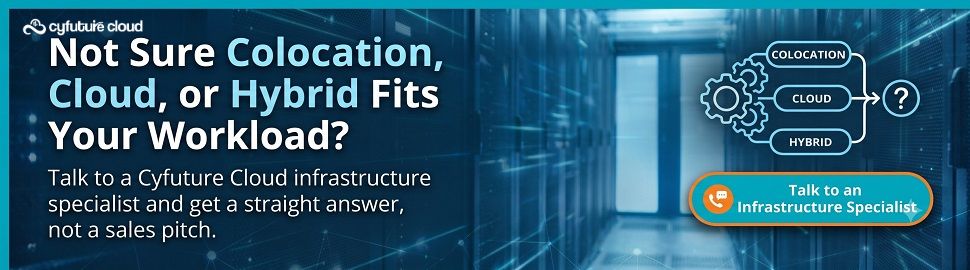
Colocation suits predictable, steady-state workloads or cases where compliance requires you to own and control the hardware. You place your own servers inside a tier-rated facility, accessing power, cooling, and network under a service agreement while keeping hardware control.
Cloud infrastructure suits variable or spiky workloads, new product launches, and teams that need to add compute in minutes rather than weeks.
Hybrid cloud is the honest answer for most enterprises: steady baseline workloads sit in colocation, while burst capacity, dev/test environments, and AI training runs live in the cloud. The right mix comes down to workload predictability, compliance requirements, and how fast you need to scale. Cyfuture Cloud pairs colocation footprints with on-demand cloud and GPU capacity, so workloads can move between the two without a re-architecture.
Real-World Example: A Data Center Migration in Practice
Consider a mid-sized fintech running core workloads on an aging on-premises setup nearing end of life. After migrating to a modern enterprise data center with hybrid cloud support, uptime improved from an estimated 99.5% to above 99.99%, latency for end users dropped noticeably, and total cost of ownership fell over a two-to-three-year window once power, cooling, and hardware refresh costs were consolidated. New services that once took weeks to provision went live in days.
Note: these figures are illustrative estimates, not audited results from a named client, and reflect the order of magnitude enterprises typically report after a comparable migration.
Checklist: How to Evaluate Data Center Providers
- Confirm the Tier rating and get the uptime SLA in writing.
- Ask for published PUE and any sustainability commitments.
- Request current security certifications and recent audit reports.
- Test network latency and ask which carriers peer on-site.
- Confirm the scalability path: power headroom, rack space, and cloud integration.
- Understand what managed services and remote hands actually cover.
- Compare total cost — power, cooling, cross-connects, and support — not just the headline rate.
The Bottom Line
Choosing a data center partner is a strategic decision, not a procurement checkbox. The facility underneath your applications sets the ceiling on how resilient, secure, and scalable everything you build on top of it can be — so it deserves the same scrutiny as any core technology vendor. As workloads keep shifting toward AI training, inference, and hybrid cloud, that scrutiny only gets more important.


Stay Ahead of the Curve.
Join the Cloud Movement, today!
Send this to a friend