 Cloud
Hosting
VPS
Hosting
 GPU
Cloud
 Dedicated
Server
 Server
Colocation
 Backup as a Service
 CDN
Network
 Window
Cloud Hosting
 Linux Cloud
Hosting
Managed
Cloud Service
 Storage
as a Service
VMware Public
Cloud
Multi-Cloud
Hosting
Cloud
Server Hosting
Bare
Metal Server
Virtual
Machine
 Magento
Hosting
 Remote
Backup
 DevOps
 Kubernetes
 Cloud
Storage
 NVMe
Hosting
 DR
as s Service
 API Gateway

Run distributed training and low-latency inference across NVLink-connected GPUs on 400G/800G RDMA fabrics, while Cyfuture Cloud operates the stack underneath.
Ever struggled to run AI, machine learning, or graphics-intensive workloads GPU as a Service (GPUaaS) is a cloud model that gives you on-demand access to GPU computing, so you can train models, run inference and process heavy workloads without buying or maintaining GPU servers. You choose the GPU, the capacity and the billing model. Cyfuture Cloud runs the infrastructure.
Enterprise-grade GPU infrastructure built for AI, machine learning, and high-performance computing.
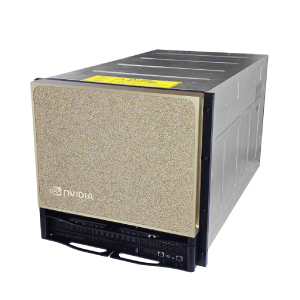
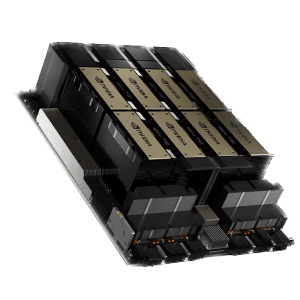
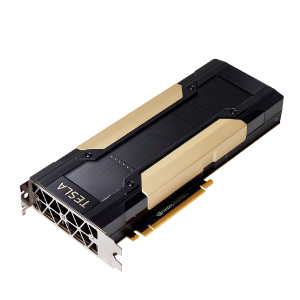
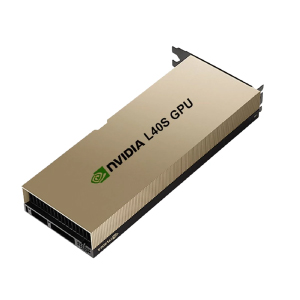
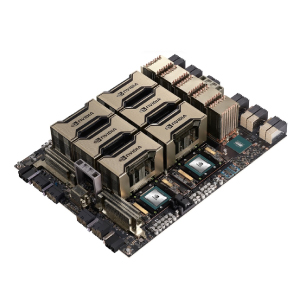
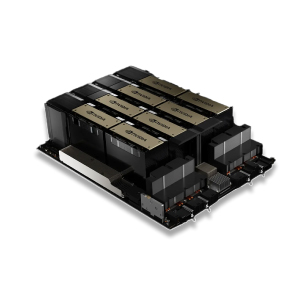
NVIDIA GPU families: H100, H200, A100, L40S, V100 and B300
Memory on a single H200 GPU for memory-heavy LLMs
Per H100 SXM5 server, with 8 × 400G NDR networking ports
Isolated MIG slices per A100 or H100 for smaller jobs
Rack density supported in the liquid-cooled AI data center
Direct liquid-cooled AI data center capacity
Rack spaces at the MeitY-empanelled Noida data center
Monitoring and expert support
GPU as a Service delivers graphics processing units over the cloud as a managed, metered service. Instead of buying GPU servers, housing and cooling them, and replacing them every few years, you use the capacity you need and stop paying when the job ends. You may also see it searched as GPU rental or GPU cloud hosting. The idea is the same.
Why GPUs? A CPU works through tasks a few at a time. A GPU runs thousands of calculations in parallel, which is exactly what neural network training, inference, simulation and rendering demand.
So how does GPUaaS differ from a GPU server you buy or host yourself?
| Model | What you get | Best when |
|---|---|---|
| GPU as a Service | On-demand GPU instances or clusters, billed by usage | Workloads vary: experiments, fine-tuning, bursty training |
| Dedicated GPU servers | A whole physical server reserved for you | Utilisation is steady and you need full isolation |
| Buying your own GPUs | Hardware you own, host and maintain | Load is predictable and long-running, and you have in-house ops |
| Stat | What it says |
|---|---|
| $0 | Upfront hardware spend. Billed hourly with a 1-hour minimum. |
| 1 to 8 GPUs | Scale up to 8× H100 NVLink with 640 GB of GPU memory, then back down for inference. |
| 6 GPU models | The V100 to the B300, in 10 ready configurations. |
| 34% lower | An H100 on a 12-month term costs $2.43/hr against $3.66/hr on-demand. |
| Up to 35% | Savings on 6 or 12-month terms, plus capacity priority. |
| $0 egress | No platform fees and no egress within a region. Storage is a flat $0.05/GB/month, and metered usage lets spend trace to projects. |
Four steps from request to running workload.
Choose a GPU that fits your model and budget, then decide between on-demand instances and dedicated capacity. Provisioning is through a cloud dashboard or API.
Your instance launches with GPU drivers and common AI frameworks ready to use. Connect through SSH, a web console or notebooks, and attach object storage or block storage for datasets.
Run jobs directly or orchestrate them with Kubernetes. Multi-GPU clusters handle distributed training when one GPU is not enough.
Track GPU utilisation, scale capacity up or down, and, on supported GPUs, use NVIDIA Multi-Instance GPU (MIG) to split one GPU into isolated slices for smaller jobs.
Training is no longer the only heavy lift. Reasoning models and agents hold long contexts in memory, and memory is where the B300 pulls ahead.
The B300 carries 288GB of HBM3e per GPU, built with 12-high stacks rather than the B200’s 8-high.
NVIDIA says HGX B300 delivers 1.5x more dense FP4 Tensor Core FLOPS and 2x attention performance versus HGX B200.
An 8-GPU HGX B300 system uses 5th-generation NVLink at 1.8TB/s and ConnectX-8 SuperNICs at up to 800Gb/s.
An HGX B300 node totals 2,304 GB of HBM3e.
| Spec | H100 | B200 | B300 |
|---|---|---|---|
| Architecture | Hopper | Blackwell | Blackwell Ultra |
| HBM per GPU | 80GB HBM3 | 192GB HBM3e | Up to 288GB HBM3e |
| FP4 support | No | Yes | Yes, ~1.5× B200 dense FP4 |
Launch GPU instances for experiments, fine-tuning and bursty jobs. Pay for what you use.
Isolated, high-performance GPU capacity for sustained training and workloads that need stronger separation.
Cyfuture Cloud engineers help you design the cluster, networking and cooling plan, and keep it running. Useful when your team wants results, not rack diagrams.
Distributed AI pipelines that combine CPU and GPU infrastructure with scheduling and orchestration.
Cyfuture Cloud operates MeitY-empanelled, Tier III data centers across India.
NVMe SSD storage and high-bandwidth, low-latency networking for data-hungry jobs.
Access controls, network isolation, encryption and continuous monitoring.
Round-the-clock monitoring and support from the Cyfuture Cloud team.
Cyfuture Cloud lists MeitY empanelment, PCI DSS and HIPAA among its certifications.
Cyfuture also builds a liquid-cooled AI data center for high-density GPU infrastructure.
Deep learning GPU capacity for foundation and domain-specific models.
Low-latency serving for chatbots, copilots and voice agents.
Image recognition, object detection and monitoring.
Machine learning GPU power to cut training time on large datasets.
Scientific, financial and engineering workloads without heavy capital outlay.
Dedicated GPU instances for studios and design teams.
Medical imaging, genomics and drug discovery simulations.
Teams often combine options: A fintech team fine-tuning a domain language model might use H100 capacity for the training run, then serve the finished model on L40S GPUs, where cost per request matters more than peak throughput.
Cloud GPU pricing is not one number. It moves with the following:
All instances are billed hourly with a 1-hour minimum. Reserve for 6 or 12 months to save up to 35% and lock in capacity priority.
| GPU | On-Demand | 6-Month | 12-Month | Best for |
|---|---|---|---|---|
| NVIDIA B300 · 288 GB | Reserved only | $5.75/hr | $5.51/hr | Frontier-scale training |
| NVIDIA RTX PRO 6000 · 96 GB | $2.70/hr | $2.40/hr | $2.25/hr | Inference & rendering |
| NVIDIA V100 · 32 GB | $0.60/hr | $0.48/hr | $0.43/hr | Dev & prototyping |
| NVIDIA L40S · 48 GB | $1.38/hr | $0.75/hr | $0.68/hr | FP8 inference |
| 4× L40S · 192 GB | $5.39/hr | $2.88/hr | $2.59/hr | Inference fleet |
| NVIDIA A100 · 80 GB | $2.20/hr | $2.16/hr | $2.08/hr | Fine-tuning |
| 2× A100 NVLink · 160 GB | $4.36/hr | $4.18/hr | $3.99/hr | 70B training |
| NVIDIA H100 · 80 GB | $3.66/hr | $2.92/hr | $2.43/hr | LLM pre-training |
| 4× H100 NVLink · 320 GB | $14.32/hr | $11.22/hr | $9.24/hr | Multi-GPU scale |
| 8× H100 NVLink · 640 GB | $28.36/hr | $22.20/hr | $18.29/hr | Frontier models |
At Cyfuture Cloud, we understand that modern AI, ML, and data-intensive workloads demand more than just hardware—they require reliable, high-performance GPU infrastructure. Our GPU as a Service (GPUaaS) is designed to deliver scalable compute power on demand, helping businesses accelerate innovation without the complexities of managing dedicated hardware.
Security and compliance are at the core of our offering. Every GPUaaS deployment is safeguarded with advanced security protocols, access controls, and continuous monitoring, ensuring your critical AI and ML workloads remain protected against evolving cyber threats. Our infrastructure aligns with industry standards, giving you peace of mind while you focus on growth.
Reliability and uptime are essential for mission-critical workloads. Cyfuture Cloud's GPUaaS environments are built with redundant systems, high-speed interconnects, and robust monitoring, minimizing downtime and ensuring smooth operation for large-scale AI training, inference, and analytics tasks.
With GPU cloud services from Cyfuture Cloud, you gain flexibility, scalability, and expert guidance. Whether you're exploring GPU as a Service Hivenet setups, evaluating the GPUaaS market, or comparing top GPU as a Service companies, our solutions provide a dependable platform to power your AI ambitions.
Partner with Cyfuture Cloud and unlock the full potential of GPUaaS, combining performance, security, and scalability to meet your business and AI infrastructure needs today.
| Provisioning tier | How it works | Best for |
|---|---|---|
| On-demand | Pay for the GPU hours you use | Experiments, bursty jobs |
| Reserved | Commit for a term in exchange for lower rates and guaranteed capacity | Steady training and production inference |
| Flex or spot | Discounted capacity that can be interrupted | Fault-tolerant batch jobs |
| Enterprise | Dedicated clusters and custom terms | Large or regulated deployments |
Data centers, colocation, cloud and GPU infrastructure sit under one roof, so you are not stitching vendors together.
A liquid-cooled AI data center designed for dense GPU racks.
On-demand, reserved and dedicated options for different stages of a project.
Advisory and managed services when you want help designing or running the environment.
MeitY empanelment, Tier III facilities and listed certifications.

















Thanks to Cyfuture Cloud's reliable and scalable Cloud CDN solutions, we were able to eliminate latency issues and ensure smooth online transactions for our global IT services. Their team's expertise and dedication to meeting our needs was truly impressive.

Since partnering with Cyfuture Cloud for complete managed services, Boloro Global has experienced a significant improvement in their IT infrastructure, with 24x7 monitoring and support, network security and data management. The team at Cyfuture Cloud provided customized solutions that perfectly fit our needs and exceeded our expectations.

Cyfuture Cloud's colocation services helped us overcome the challenges of managing our own hardware and multiple ISPs. With their better connectivity, improved network security, and redundant power supply, we have been able to eliminate telecom fraud efficiently. Their managed services and support have been exceptional, and we have been satisfied customers for 6 years now.

With Cyfuture Cloud's secure and reliable co-location facilities, we were able to set up our Certifying Authority with peace of mind, knowing that our sensitive data is in good hands. We couldn't have done it without Cyfuture Cloud's unwavering commitment to our success.

Cyfuture Cloud has revolutionized our email services with Outlook365 on Cloud Platform, ensuring seamless performance, data security, and cost optimization.

With Cyfuture's efficient solution, we were able to conduct our examinations and recruitment processes seamlessly without any interruptions. Their dedicated lease line and fully managed services ensured that our operations were always up and running.

Thanks to Cyfuture's private cloud services, our European and Indian teams are now working seamlessly together with improved coordination and efficiency.

The Cyfuture team helped us streamline our database management and provided us with excellent dedicated server and LMS solutions, ensuring seamless operations across locations and optimizing our costs.
GPU as a Service is a cloud model that provides on-demand access to GPU computing for AI, machine learning, HPC and rendering. You use and pay for GPU capacity without buying or maintaining the hardware.
You select a GPU type and deployment model, Cyfuture Cloud provisions the environment, and you run your workloads over the network. Usage is metered, and capacity can scale up or down as your needs change.
Cyfuture Cloud offers NVIDIA GPUs including the H100, A100, L40S, V100 and RTX PRO 6000, with newer options such as the B300 listed on dedicated pages. Availability changes, so confirm current inventory with the team.
Cost depends on the GPU model, hours used, cluster size, storage and support. As a reference, on-demand rates start at $0.60/hr for a V100 and $3.66/hr for an H100. Instances are billed hourly with a 1-hour minimum, storage is $0.05/GB/month, and there are no platform fees or egress charges within a region. Use the pricing calculator or request a custom quote for your workload.
Match the GPU to the job. The V100 suits development and prototyping, the L40S suits FP8 inference, and the A100 suits fine-tuning. The H100 is built for LLM pre-training, and the B300 targets frontier-scale training. If you are unsure, share your model size and batch requirements with the team and they will recommend a configuration.
Yes. Multi-GPU configurations include 2× A100 NVLink (160 GB) for 70B-parameter training, 4× H100 NVLink (320 GB) for multi-GPU scale, and 8× H100 NVLink (640 GB) for frontier models. For inference at volume, a 4× L40S (192 GB) fleet is available. For larger multi-node clusters, contact the team to scope your requirements.
Yes. For steady production inference, reserved capacity gives you lower rates and guaranteed availability. For bursty or experimental inference, on-demand lets you pay only for the hours you use.
On-demand is pay-per-hour and suits experiments and bursty jobs. Reserved means committing for 6 or 12 months to save up to 35% and lock in capacity priority. Flex or spot capacity is discounted but can be interrupted, so it fits fault-tolerant batch jobs. Enterprise covers dedicated clusters and custom terms for large or regulated deployments.
Start with on-demand while you size your workload, then move steady training or inference to a 6-month or 12-month reservation. Use flex or spot capacity for batch jobs that can resume from checkpoints, and pick the smallest GPU that fits your model in memory.
GPUaaS offers flexible, usage-based capacity. A dedicated GPU server reserves an entire physical machine for you, which suits steady, high-utilisation workloads. Cyfuture Cloud offers both approaches.
Rent when workloads vary, when you want to start quickly or when you want to avoid large upfront spend. Buying makes more sense when utilisation is consistently high and you have the team to run the hardware.
It can be, when the provider offers isolation, access controls and compliant facilities. Cyfuture Cloud hosts GPU workloads in MeitY-empanelled Tier III data centers in India. Your own data handling policies still apply.


Let’s talk about the future, and make it happen!




 Pricing
Calculator
 Unlock
Cost Optimization
 Overview
 Documentation
 Price
Calculator
 Tools
 FAQs
 Terms of
Service
 Privacy
Policy

 Migration
 Container
 Power
 Utilities
 VMware
Private Cloud
 VMware on
AWS
 VMware on
Azure
 Certifications
 Customers
 Partners
 Careers
 Support
 Service
Level Agreement
 Contact