Get 69% Off on Cloud Hosting : Claim Your Offer Now!


- Products
- Solutions
-
Solutions
-
 Cloud
Hosting
-
VPS
Hosting
-
 GPU
Cloud
-
 Dedicated
Server
-
 Server
Colocation
-
 Backup as a Service
-
 CDN
Network
-
 Window
Cloud Hosting
-
 Linux
Cloud Hosting
-
Managed
Cloud Service
-
 Storage
as a Service
-
VMware
Public Cloud
-
Multi-Cloud
Hosting
-
Cloud
Server Hosting
-
Bare
Metal Server
-
Virtual
Machine
-
 Magento
Hosting
-
 Remote
Backup
-
 DevOps
-
 Kubernetes
-
 Cloud
Storage
-
 NVMe
Hosting
-
 DR
as s Service
-
-
Solutions
- Marketplace
- Pricing
- Resources
- Company
 Remote
Backup
 NVMe
Hosting
 Pricing
Calculator
 Unlock Cost
Optimization
 Overview
 Documentation
 Price
Calculator
 Tools
 FAQs
 Terms
of Service
 Privacy
Policy

 Migration
 Container
 Power
 Utilities
 VMware
Private Cloud
 VMware
on AWS
 VMware
on Azure
 Certifications
 Partners
 Careers
 Support
 Service
Level Agreement
 Contact
Table of Contents
- What Is an NVIDIA B300 GPU Server?
- Why Large-Scale AI Needs Accelerated Infrastructure
- B300 Architecture and What It Means for AI
- Interconnect and Distributed Computing
- Training, Fine-Tuning, and Inference
- Where B300 Servers Fit: Workload Table
- Server Architecture Beyond the GPU
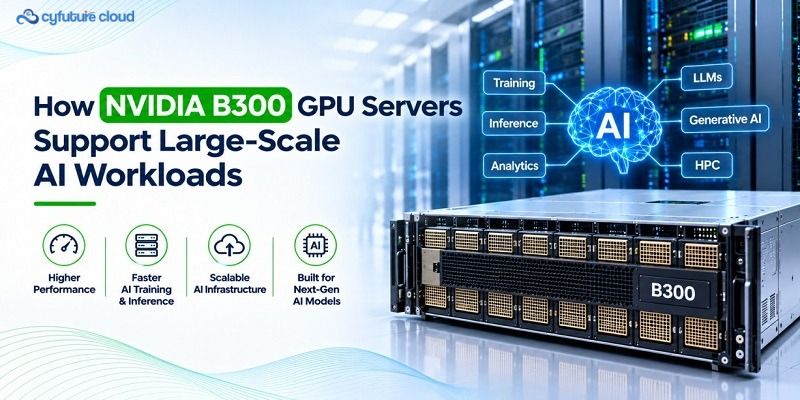
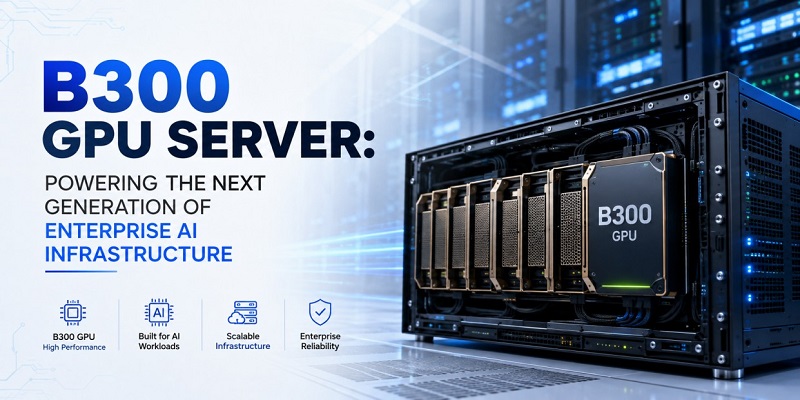
NVIDIA B300 GPU servers pair Blackwell Ultra GPUs with high-bandwidth memory and fast GPU-to-GPU links to support large-scale AI training, inference, fine-tuning, and HPC. Their value depends on the full system around the GPU: networking, storage, cooling, and software.
Modern AI is an infrastructure problem before it is a model problem. Large language models, multimodal systems, recommendation engines, and simulations need more than a fast processor. They need compute, memory, networking, storage, power, cooling, and software working as one system.
That is where NVIDIA B300 GPU servers come in. They suit organisations that need high-density accelerated computing. This guide explains what they are, what they do well, and what to check before you deploy.
What Is an NVIDIA B300 GPU Server?
The NVIDIA B300 is a Blackwell Ultra data-centre GPU. A GPU server wraps GPUs with CPUs, system memory, storage, network adapters, power delivery, and cooling.
NVIDIA’s HGX B300 platform is the common building block. According to NVIDIA’s enterprise reference architecture documentation, an HGX B300 baseboard connects eight GPUs through NVLink internally. Each GPU gets 800 Gb/s of external network connectivity.
Think of it this way:
- The GPU is the engine.
- The interconnect is the road network.
- Memory is the workspace.
- Cooling keeps the whole thing running.
A fast engine on a congested road still crawls. That is why a server-level view matters more than a GPU spec sheet.
One more distinction. A GPU server is not a GPU cluster. Large-scale training usually links many servers through high-performance networking and distributed software. Configurations differ by server vendor and deployment, so treat every figure here as platform-level, not a guarantee for each system.
Why Large-Scale AI Needs Accelerated Infrastructure
Here’s what makes big AI jobs hard:
- Large models hold billions of parameters.
- Training repeats forward and backward passes many times.
- GPUs must exchange data constantly.
- Memory capacity limits model size and batch size.
- Data loading can starve the GPUs.
- Communication overhead can erode scaling.
- Inference needs predictable latency and high throughput.
- Dense compute creates heavy power and thermal loads.
Three terms come up often:
- Training teaches a model from large datasets.
- Fine-tuning adapts a pretrained model to a task or domain.
- Inference uses a trained model to generate predictions or responses.
B300 Architecture and What It Means for AI
B300 belongs to NVIDIA’s Blackwell Ultra generation. NVIDIA’s HGX platform page describes the HGX B300 as offering roughly 2.1 TB of total memory per eight-GPU node. It uses fifth-generation NVLink with 1.8 TB/s of GPU-to-GPU bandwidth and 14.4 TB/s of total NVLink bandwidth.
Precision formats in plain language
- FP32 gives traditional numerical precision.
- FP16 and BF16 speed up many deep-learning operations.
- FP8 and FP4 cut compute and memory movement in supported workloads.
Lower precision is not free. Accuracy depends on the model, calibration, and software support. Test before you commit.
A caution on headline numbers: peak FLOPS are theoretical. Real results depend on batch size, kernels, memory access, interconnects, and your data pipeline. This article does not quote peak figures for that reason. Check NVIDIA’s Blackwell Ultra datasheet for current ones.
Memory: capacity versus bandwidth
These are different things:
- Capacity decides how much data stays close to the compute.
- Bandwidth decides how fast that data moves.
A simplified view of what must fit in memory:
Memory requirement ≈ parameters + activations + gradients + optimiser states + runtime overhead
This is a rough model. Precision, parallelism, checkpointing, sequence length, batch size, and framework behaviour all change the real number.
For inference, add the KV cache, which stores attention data so the model doesn’t recompute earlier tokens. Long contexts and many concurrent users make it grow quickly.
Why care? If the working set doesn’t fit, data spills across GPUs, to host memory, or to storage. Those transfers add latency and drop utilisation.
Interconnect and Distributed Computing
Distributed training splits work across GPUs. But GPUs must share results, so communication speed decides how well you scale.
Inside an HGX B300 node, NVLink and NVSwitch link the eight GPUs. Between servers, the network takes over. NVIDIA’s reference architecture pairs each GPU with an integrated ConnectX-8 SuperNIC in a 1:1 ratio.
Common collective operations include:
- All-reduce: combines values from all GPUs and shares the result
- All-gather: collects pieces from every GPU onto every GPU
- Reduce-scatter: combines values and distributes slices of the result
Scaling efficiency measures how well extra GPUs pay off:
Scaling efficiency = performance with N GPUs / (N × performance with 1 GPU)
A score of 1.0 means perfect scaling. Communication overhead, synchronisation, data loading, and software tuning pull it lower. If efficiency drops sharply, adding GPUs mostly adds cost.
Training, Fine-Tuning, and Inference
Model training. Training prioritises sustained throughput. Teams use data and model parallelism, gradient synchronisation, regular checkpointing, and fast data pipelines. Cluster scheduling keeps jobs queued sensibly.
Fine-tuning. Fine-tuning ranges from full-parameter updates to parameter-efficient methods such as LoRA. Memory headroom speeds up experimentation, since teams iterate more when jobs fit comfortably.
Inference. Inference cares about latency, concurrency, cost per request, or tokens per second. Real-time serving, batch inference, generative AI, and retrieval-augmented generation each stress the system differently. Quantisation, batching, and KV-cache management all matter.
Training chases throughput. Inference chases responsiveness. Size your infrastructure for the one you actually run.
Where B300 Servers Fit: Workload Table
|
Workload |
Why it needs accelerated infrastructure |
Relevant B300 server capabilities |
Key planning considerations |
|
LLM training |
Huge parameter counts, repeated passes |
High GPU memory, NVLink, multi-node networking |
Scaling efficiency, checkpointing |
|
Generative AI inference |
Concurrency, low latency |
Memory for weights and KV cache, low-precision support |
Latency targets, batching |
|
Multimodal AI |
Large inputs across text, image, video |
Memory capacity and bandwidth |
Data pipeline, storage throughput |
|
Computer vision |
Heavy tensor operations |
Parallel compute |
Dataset size, preprocessing |
|
Recommendation systems |
Large embeddings, high request volume |
Memory and fast networking |
Embedding storage, serving latency |
|
Scientific computing |
Parallel numerical workloads |
GPU compute and memory bandwidth |
Precision needs, software support |
|
Digital twins and simulation |
Real-time or large-scale modelling |
Parallel compute, fast memory |
Solver compatibility |
|
Financial modelling |
Large simulations, risk analysis |
Parallel compute |
Latency, data governance |
|
Healthcare research |
Imaging, genomics, large models |
Memory and compute |
Data privacy, validation |
|
Engineering and design |
Simulation and generative design |
GPU compute |
Licensing, software support |
|
High-performance data analytics |
Large-scale data processing |
Memory bandwidth, GPU compute |
Storage speed, framework support |
Not every workload benefits equally. Results depend on software, dataset size, model design, precision, and parallelism.
Server Architecture Beyond the GPU
A powerful GPU sits idle if the rest of the system can’t keep up. Look at:
- CPU-to-GPU balance and PCIe topology
- System memory. NVIDIA’s reference architecture specifies a minimum of 2 TB of system memory for HGX B300 nodes.
- Local NVMe and shared storage
- Network adapters and GPU-to-GPU topology
- Power delivery and redundancy
- Remote management, firmware, and driver compatibility
- Rack space, serviceability, and monitoring
Networking and Storage
Networking carries dataset access, checkpoint transfer, parameter synchronisation, and model serving. East-west traffic between servers dominates distributed training. Congestion and latency show up directly as lost GPU time.
Storage holds training datasets, checkpoints, feature stores, logs, embeddings, model artefacts, and inference outputs. Depending on the workload, sequential throughput, random access, metadata performance, bandwidth, and latency can each become the bottleneck.
Power and Cooling
Dense GPU servers concentrate power and heat. That raises rack-level power demand and challenges air cooling at higher densities.
Options include direct-to-chip liquid cooling (cold plates on the hottest components), rear-door heat exchangers, and hybrid air-and-liquid designs. Coolant distribution units, leak detection, redundancy, and facility water quality all need planning.
Is liquid cooling mandatory for B300 servers? That depends on the specific server design, GPU count, rack density, ambient conditions, and facility architecture. Confirm with your server vendor.
The basic relationship stays the same:
Q = ṁ × c_p × ΔT
Q is the heat removed, ṁ is the coolant mass flow rate, c_p is its specific heat capacity, and ΔT is the permitted temperature rise. Liquid carries more heat per unit volume than air, which helps at high heat flux. But it only works with proper facility integration.
Software, Security, and Reliability
Hardware alone doesn’t make an AI platform. You also need:
- GPU drivers and compatible CUDA libraries
- Deep-learning frameworks and containers
- Kubernetes or another orchestrator, plus job schedulers
- MLOps platforms and model-serving frameworks
- Monitoring, resource isolation, and multi-tenancy
- Version management and reproducibility
Security and governance cover data isolation, access management, encryption, network segmentation, secure boot, firmware management, and audit logs. For reliability, plan backup, disaster recovery, fault tolerance, GPU health monitoring, and service-level objectives.
For regulated sectors, confirm compliance requirements against verified documentation before making any claim.
B300 GPU Servers in Cloud Environments
Cloud access trades ownership for speed.
Benefits: lower upfront capital cost, faster access, elastic capacity, managed operations, easier scaling, and technical support.
Considerations: availability, pricing model, data-transfer costs, workload persistence, data residency, performance isolation, contract terms, portability, and capacity reservations.
Cloud capacity is not unlimited and availability is never automatic. Plan reservations for workloads that can’t wait.
How B300 compares with earlier HGX generations
NVIDIA’s HGX platform page lists these 8-GPU node figures:
|
Platform |
Total memory |
NVLink generation |
GPU-to-GPU bandwidth |
|
HGX H100 |
640 GB HBM3 |
Fourth |
900 GB/s |
|
HGX H200 |
1.1 TB HBM3E |
Fourth |
900 GB/s |
|
HGX B200 |
1.4 TB |
Fifth |
1.8 TB/s |
|
HGX B300 |
2.1 TB |
Fifth |
1.8 TB/s |
Newer is not automatically better for you. The right choice depends on model size, budget, availability, software compatibility, and required performance.
Deploy NVIDIA B300 Workloads with Cyfuture Cloud
Cyfuture Cloud works as an infrastructure partner, not a hardware reseller. Successful AI deployment needs compute, data, networking, storage, security, cooling, software, and operations to line up.
Cyfuture Cloud can help teams evaluate and plan GPU infrastructure for:
- AI training and fine-tuning
- Inference
- HPC and technical research
- Enterprise application development
- Scalable GPU workloads
Support spans infrastructure provisioning, GPU resource planning, managed operations, networking and storage design, security controls, workload monitoring, technical consultation, and capacity planning.
Deployment Checklist
- Define the model and workload type.
- Estimate memory requirements.
- Choose training or inference precision.
- Decide on single-node or multi-node.
- Map data-access patterns.
- Plan storage and checkpointing.
- Assess network needs.
- Calculate power and cooling requirements.
- Select orchestration and monitoring tools.
- Define security and compliance requirements.
- Estimate total cost of ownership.
- Plan scaling and failure recovery.
- Benchmark with your actual workload.
How to Evaluate Performance
Skip peak FLOPS and vendor benchmarks as your main yardstick. Test with representative models and production-like datasets. Measure:
- Training throughput
- Inference latency and tokens per second
- Throughput under concurrency
- GPU and memory utilisation
- Network overhead and storage performance
- Power and cooling cost
- Total cost per training run or inference request
NVIDIA B300 GPU Server Evaluation Framework
|
Evaluation area |
Questions to ask |
|
Compute |
Does the workload require training, inference, fine-tuning, or HPC? |
|
Memory |
Will the model and runtime data fit efficiently in GPU memory? |
|
Interconnect |
Does the system support the required GPU-to-GPU and node-to-node communication? |
|
Storage |
Can the data pipeline feed the GPUs without bottlenecks? |
|
Networking |
Is the network fast enough for distributed workloads and checkpoint traffic? |
|
Cooling |
Can the facility support the server’s thermal profile? |
|
Software |
Are the drivers, frameworks, containers, and orchestration tools compatible? |
|
Security |
Can the deployment meet data-protection and access-control requirements? |
|
Economics |
What is the total cost per training run, model, or inference request? |
Conclusion
NVIDIA B300 GPU servers give AI teams a strong foundation for training, fine-tuning, inference, and HPC. But the GPU is only one part of the system. Memory, interconnects, networking, storage, cooling, software, and security decide whether that capability turns into real throughput.
Evaluate the whole stack against your own workload, and benchmark before you commit.
Recent Post













Stay Ahead of the Curve.
Join the Cloud Movement, today!
Send this to a friend