Get 69% Off on Cloud Hosting : Claim Your Offer Now!


- Products
- Solutions
-
Solutions
-
 Cloud
Hosting
-
VPS
Hosting
-
 GPU
Cloud
-
 Dedicated
Server
-
 Server
Colocation
-
 Backup as a Service
-
 CDN
Network
-
 Window
Cloud Hosting
-
 Linux
Cloud Hosting
-
Managed
Cloud Service
-
 Storage
as a Service
-
VMware
Public Cloud
-
Multi-Cloud
Hosting
-
Cloud
Server Hosting
-
Bare
Metal Server
-
Virtual
Machine
-
 Magento
Hosting
-
 Remote
Backup
-
 DevOps
-
 Kubernetes
-
 Cloud
Storage
-
 NVMe
Hosting
-
 DR
as s Service
-
-
Solutions
- Marketplace
- Pricing
- Resources
- Company
 Remote
Backup
 NVMe
Hosting
 Pricing
Calculator
 Unlock Cost
Optimization
 Overview
 Documentation
 Price
Calculator
 Tools
 FAQs
 Terms
of Service
 Privacy
Policy
 Migration
 Container
 Power
 Utilities
 VMware
Private Cloud
 VMware
on AWS
 VMware
on Azure
 Certifications
 Partners
 Careers
 Support
 Service
Level Agreement
 Contact
Table of Contents
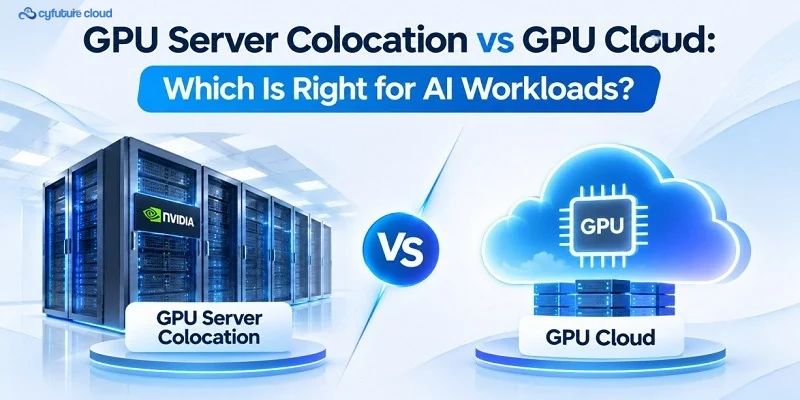
GPU server colocation vs GPU cloud is a choice between owning your GPU servers in a third-party data centre and consuming GPU capacity as a service. Colocation gives you control and can suit steady, high-utilisation workloads. GPU cloud gives you speed and flexibility and suits variable or short-term demand. Neither model wins in every case.
AI workloads need more than GPUs
Ask any infrastructure team what they are planning this year, and the question is rarely “which GPU?” anymore. It is “how do we deploy GPU capacity?”
That shift makes sense. Training, fine-tuning, inference, computer vision, recommendation engines and HPC all depend on compute, memory, storage, networking, power, cooling and software working together. A fast GPU on a weak network or a slow storage layer wastes money.
So there are two practical routes: place your own servers in a colocation facility, or use GPU cloud. The right one depends on your workload, data, budget model and team. Let’s break it down.
What is GPU server colocation?
In colocation, you own or lease the GPU servers and install them in a third-party data centre. The facility provides rack space, power, cooling, physical security and network connectivity. You handle everything above that: servers, GPUs, operating systems, drivers, firmware, applications and often storage and networking too.
Think of it as leasing a well-equipped industrial unit for your own machinery. The building is ready; the machines and the people running them are yours.
Where it works well
- Sustained, predictable workloads where GPUs stay busy
- Custom server configurations, GPU-to-CPU ratios, storage and network topologies
- Tighter control over data locality and security design
- Teams that already run infrastructure, DevOps and MLOps in-house
What it demands
- Upfront or lease-based investment
- Hardware refresh, warranty and spares management
- Longer deployment timelines
- Capacity planning risk if demand changes
- In-house skills in GPU operations, networking, storage and security
What is GPU cloud?
With GPU cloud, the provider owns and runs the hardware, facility and baseline infrastructure. You provision GPU instances, dedicated capacity or managed AI services through a console, API or orchestration layer. You stay responsible for your data, applications, access controls and workload configuration.
Where it works well
- Fast provisioning with little upfront spend
- Experiments, testing and burst demand
- Easier scaling up and down
- Access to different GPU types without buying them
- Distributed teams that want to focus on models rather than hardware
What to watch
- Recurring charges can add up for always-on workloads
- Capacity, pricing and configuration options vary by provider
- Storage, egress and cross-region transfer costs can apply
- Less control over hardware and facility design
- Compliance and data-residency terms need careful review
How AI workloads differ
AI workloads are not uniform. Duration, intensity and data sensitivity change the answer.
|
Workload |
Typical duration |
Priority |
Potential fit |
|
Experimentation |
Hours to weeks |
Fast provisioning |
GPU cloud |
|
Development and testing |
Days to months |
Iteration speed |
GPU cloud |
|
Fine-tuning |
Days to months |
GPU memory, data access |
Either |
|
Large-scale training |
Weeks to months |
Sustained throughput, networking |
Colocation or reserved cloud |
|
Production inference |
Continuous |
Latency, availability, cost |
Depends on traffic |
|
Burst inference |
Variable |
Elasticity |
GPU cloud |
|
Regulated workloads |
Ongoing |
Data control, isolation |
Colocation or private cloud |
|
HPC and simulation |
Variable |
Bandwidth, low latency |
Colocation or dedicated cloud |
Many organisations end up hybrid: cloud for experiments and peaks, dedicated infrastructure for stable production.
Five factors that decide the outcome
1. Compute and GPU configuration
Look beyond GPU model. Check GPUs per server, memory capacity and bandwidth, CPU-to-GPU ratio, system memory, PCIe topology and interconnects such as NVLink. Hardware refresh cycles matter too. In colocation, you plan them. In cloud, the provider does.
2. Networking
Distributed training needs GPUs to synchronise constantly. If the network is slow or congested, adding GPUs will not give proportional gains. Scaling efficiency shows this:
Scaling efficiency = performance with N GPUs ÷ (N × performance with 1 GPU)
Communication overhead, parallelism strategy, data loading and software tuning all pull this number down. Check east-west bandwidth, latency, topology and whether the fabric is InfiniBand, RoCE or high-speed Ethernet. Ask the same questions of a cloud provider as you would of your own design.
3. Storage and data pipeline
GPUs idle when data arrives late. Plan for training datasets, checkpoints, embeddings, logs and inference outputs, along with throughput, metadata performance, data locality, backup and disaster recovery. This applies equally to both models.
4. Power, cooling and rack density
GPU servers draw heavy power and produce concentrated heat. Facilities may use air cooling, rear-door heat exchangers or direct-to-chip liquid cooling. The basic relationship is Q = ṁ × cp × ΔT: heat removed depends on coolant flow, specific heat and the allowed temperature rise.
Liquid cooling is not required for every deployment. It depends on GPU count, rack density, facility capability and workload duration. In colocation, confirm what the facility supports before you buy hardware.
5. Performance and utilisation
Theoretical GPU specs rarely match real results. Measure what matters: GPU and memory utilisation, job completion time, queue time, tokens per second, inference latency under concurrency, cost per training run and cost per inference request. Model architecture, precision, batch size and the data pipeline all change the outcome.
Cost: where each model tends to fit
|
Cost factor |
Colocation |
GPU cloud |
|
Upfront |
Hardware, installation, networking, storage |
Usually low |
|
Ongoing |
Facility fees, power, bandwidth, support |
Usage, reservations, storage, network |
|
Hardware refresh |
Your responsibility |
Provider’s responsibility |
|
Idle cost |
High if hardware sits unused |
Lower, as resources can be released |
|
Operations |
Internal team |
Shared |
|
Data transfer |
Depends on architecture |
Ingress, egress and cross-region charges may apply |
Colocation can be economical when utilisation stays high for years. GPU cloud can be economical when demand rises and falls. Both statements depend on your numbers, so model total cost of ownership over one, three and five years before deciding.
Security, compliance and operations
Neither model is automatically more secure. Colocation gives you direct control over hardware, firmware, segmentation and data placement, but you carry the responsibility. Cloud operates on a shared responsibility model: the provider secures the infrastructure, and you secure identities, data, applications and configurations.
Compare physical security, encryption, identity and access management, audit logging, data residency, backup and vendor risk against your compliance obligations.
On operations, be honest about your team. Colocation needs depth in hardware, networking, drivers, monitoring and lifecycle management. GPU cloud lowers that burden but still needs MLOps, security and cost governance.
Resilience works the same way. Redundant power, cooling and networking help, but fault-domain design, disaster recovery and backups must be built into the architecture. No model delivers them by default.
Choosing: a practical framework
Start with these questions:
- Is the workload experimental, bursty or sustained?
- How long is the capacity needed, and how soon?
- How sensitive is the data, and are there residency rules?
- Do you need custom networking or storage?
- Does your team have infrastructure expertise?
- What utilisation do you expect?
- What does total cost of ownership look like over one, three and five years?
Choose GPU cloud when the workload is short-term or unpredictable, you need capacity quickly, and you want to avoid upfront hardware spend.
Choose GPU server colocation when workloads are stable and long-running, utilisation will stay high, you need custom hardware or network design, and your team can operate the stack.
Choose a hybrid model when development happens in cloud, production runs on dedicated infrastructure, and peak demand needs burst capacity.
AI infrastructure options with Cyfuture Cloud
Cyfuture Cloud helps organisations match GPU infrastructure to workload requirements, data sensitivity, cost model, scalability and operational needs. Support covers GPU cloud services, infrastructure consultation, workload assessment, networking and storage planning, security and governance guidance, capacity planning and managed operations, backed by data-centre expertise for AI training, inference and HPC.
Decision checklist
- Define workload type and duration.
- Estimate GPU memory and compute needs.
- Identify data sensitivity and compliance requirements.
- Assess storage and data-transfer needs.
- Evaluate networking and latency requirements.
- Calculate expected GPU utilisation.
- Compare total cost of ownership.
- Review internal operational capability.
- Plan for scaling and failure recovery.
- Decide whether a hybrid model fits.
- Validate security and governance controls.
- Benchmark with representative workloads.
Conclusion
GPU server colocation vs GPU cloud is not a contest with one winner. Colocation rewards control and steady demand. Cloud rewards speed and flexibility. Most mature AI teams end up using both.
Start with your workload, test it on real data, and let the numbers guide the next step.





Stay Ahead of the Curve.
Join the Cloud Movement, today!
Send this to a friend