Get 69% Off on Cloud Hosting : Claim Your Offer Now!


- Products
- Solutions
-
Solutions
-
 Cloud
Hosting
-
VPS
Hosting
-
 GPU
Cloud
-
 Dedicated
Server
-
 Server
Colocation
-
 Backup as a Service
-
 CDN
Network
-
 Window
Cloud Hosting
-
 Linux
Cloud Hosting
-
Managed
Cloud Service
-
 Storage
as a Service
-
VMware
Public Cloud
-
Multi-Cloud
Hosting
-
Cloud
Server Hosting
-
Bare
Metal Server
-
Virtual
Machine
-
 Magento
Hosting
-
 Remote
Backup
-
 DevOps
-
 Kubernetes
-
 Cloud
Storage
-
 NVMe
Hosting
-
 DR
as s Service
-
-
Solutions
- Marketplace
- Pricing
- Resources
- Company
 Remote
Backup
 NVMe
Hosting
 Pricing
Calculator
 Unlock Cost
Optimization
 Overview
 Documentation
 Price
Calculator
 Tools
 FAQs
 Terms
of Service
 Privacy
Policy

 Migration
 Container
 Power
 Utilities
 VMware
Private Cloud
 VMware
on AWS
 VMware
on Azure
 Certifications
 Partners
 Careers
 Support
 Service
Level Agreement
 Contact
Table of Contents
- What is GPU as a Service?
- Why AI workloads require more than GPUs
- Key challenges slowing enterprise AI
- GPU capacity and provisioning delays
- High upfront cost and unclear ROI
- Low GPU utilisation and idle capacity
- Memory constraints and model scaling limits
- Network bottlenecks in distributed training
- Storage and data-pipeline bottlenecks
- Power density and cooling constraints
- Operational complexity and talent gaps
- Security, governance, and compliance
- Where GPU as a Service fits
- How Cyfuture Cloud helps enterprises deploy AI workloads
- GPU infrastructure decision framework
- Deployment checklist
- Performance evaluation guidance
- FAQs
- What is GPU as a Service?
- Why is GPU infrastructure a bottleneck for enterprise AI?
- Is GPUaaS suitable for AI training and inference?
- Does GPUaaS reduce infrastructure costs?
- What infrastructure components matter besides GPUs?
- When should an enterprise choose dedicated GPU capacity instead of on-demand GPUaaS?
- How does Cyfuture Cloud support enterprise AI workloads?
- Conclusion
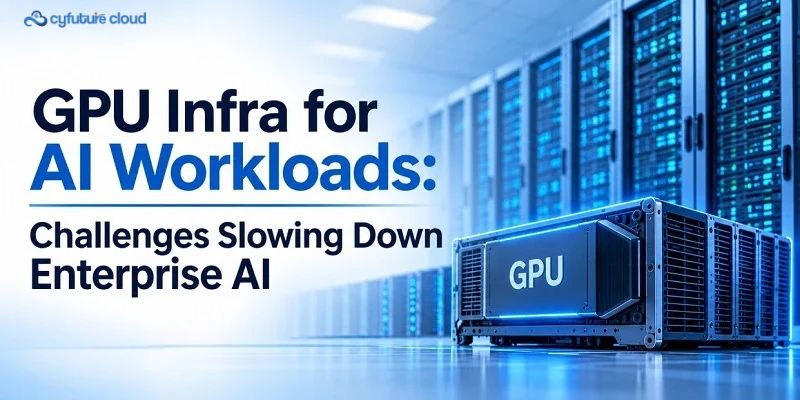
Enterprise AI initiatives often move quickly in the experimentation phase and slow down when teams attempt to put models into production. The reason is rarely a lack of ambition or access to a capable model. It is the widening gap between what an AI workload needs and what the surrounding infrastructure can reliably deliver.
A production AI system depends on more than a powerful GPU. It needs coordinated GPU compute, high-bandwidth GPU memory, fast storage, low-latency networking, orchestration, observability, security, power, and cooling. When any of these elements becomes a constraint, training slows, inference becomes expensive, and teams spend more time managing infrastructure than improving models.
GPU as a Service (GPUaaS) offers a practical way to access accelerated compute without buying, housing, powering, cooling, upgrading, and operating dedicated GPU hardware. It does not replace sound architecture, but it can reduce the operational burden of provisioning and maintaining GPU capacity—particularly for variable, bursty, or rapidly evolving workloads.
What is GPU as a Service?
GPU as a Service is a cloud-based consumption model that provides on-demand access to GPU compute for AI training, fine-tuning, inference, high-performance computing (HPC), rendering, simulation, and other accelerated workloads. Instead of purchasing GPU servers, organisations consume GPU capacity through a provider-operated platform.
A GPUaaS offering typically includes:
- GPU instances or dedicated GPU nodes.
- CPU, system memory, and attached storage resources.
- Networking and interconnect options.
- Operating system, GPU drivers, and a software environment.
- Virtual-machine, container, or Kubernetes-based deployment options.
- Monitoring, metering, billing, and management tooling.
- Identity, access, network, and data-security controls.
- Operational support and infrastructure management.
The deployment model matters as much as the GPU itself.
|
Deployment model |
What it provides |
Best suited to |
|
GPU instance |
A virtualised GPU resource allocated to a workload or user |
Experiments, development, short jobs, and variable workloads |
|
Bare-metal GPU server |
A dedicated physical server with direct access to GPU hardware |
Workloads requiring strong isolation, predictable performance, or sustained utilisation |
|
GPU cluster for AI workloads |
Multiple interconnected GPU servers for distributed workloads |
Large-model training, fine-tuning, and multi-node inference |
|
Reserved capacity |
Committed GPU capacity for a defined term |
Predictable, long-running training or production inference |
|
On-demand capacity |
Flexible, usage-based GPU access |
Prototyping, experimentation, bursty jobs, and short-lived workloads |
GPUaaS can reduce the operational burden of provisioning and maintaining hardware. However, availability still depends on the provider’s capacity, GPU inventory, region, and the specific deployment model selected.
Why AI workloads require more than GPUs
A GPU is necessary for modern AI, but it is not sufficient. GPUs perform highly parallel numerical computation, which makes them well suited to neural-network training and inference. Yet the GPU is only one part of an end-to-end AI system.
A complete enterprise AI infrastructure includes:
- GPUs for parallel computation.
- CPUs for data preprocessing, orchestration, application logic, and control-plane operations.
- High-bandwidth GPU memory for model parameters, activations, gradients, optimiser states, and inference context.
- Fast storage for datasets, checkpoints, model artefacts, logs, and embeddings.
- High-speed networking for distributed training and multi-node inference.
- Orchestration tools for scheduling, scaling, and resource allocation.
- Observability tools for utilisation, performance, cost, and failure detection.
- Security controls for data, models, identities, and infrastructure.
- Power and cooling systems for dense accelerated computing.
A useful way to think about system performance is:
AI workload performance=f(GPU compute, memory, interconnect, storage, network, software)
Improving one component often creates a bottleneck elsewhere. For example, adding GPUs without improving data throughput, network capacity, or workload parallelism may leave expensive accelerators waiting rather than computing.
Key challenges slowing enterprise AI
GPU capacity and provisioning delays
AI teams may face delays when GPU capacity is unavailable, incorrectly sized, or locked into lengthy procurement cycles. These delays are not always caused by a universal GPU shortage. They can also result from capacity planning gaps, production workloads holding reserved resources, limited visibility into utilisation, and manual provisioning processes.
Hardware lead times, capacity reserved for production, and difficulty forecasting demand can all delay experimentation. A team may have a validated model but be unable to test it at scale because the required GPU configuration is not available when needed.
On-demand GPU infrastructure can help teams provision capacity more quickly and scale between small experiments and larger jobs. The right deployment model still depends on workload duration, data sensitivity, performance requirements, and cost profile.
High upfront cost and unclear ROI
Owning GPU infrastructure involves far more than buying GPUs. The full cost includes GPU hardware, servers, CPUs, system memory, networking equipment, storage, data-centre space, power, cooling, hardware refresh cycles, software licences, engineering staff, security, compliance, and capacity buffers for peak demand.
This creates a difficult investment decision. AI projects may still be experimental, while the infrastructure required to support them is capital intensive. If workload demand is uncertain, buying capacity for a peak that may never materialise can result in idle assets.
GPUaaS shifts part of the cost model from capital expenditure to operational expenditure. It does not automatically reduce total cost. It can be cost-effective when workloads are variable, short-lived, or require rapid scaling; sustained, high-utilisation workloads may justify dedicated or owned capacity.
Low GPU utilisation and idle capacity
GPUs are expensive resources, and poor utilisation directly affects return on investment. A GPU may sit idle between training phases, wait for data during preprocessing, or remain underused because of poor scheduling, fragmented allocation, or overprovisioning for peak demand.
GPU utilisation is commonly expressed as:
GPU utilisation=active GPU processing time/total available GPU time
High utilisation does not always mean high efficiency. A GPU can appear busy while waiting for data, network communication, or synchronisation across distributed workers. Inefficient batch sizes, memory constraints, and weak data pipelines can also reduce effective throughput.
Mitigation requires more than adding GPUs. Teams need workload scheduling, autoscaling where appropriate, efficient batching, data-pipeline optimisation, and observability that distinguishes compute-bound from input-bound workloads.
Memory constraints and model scaling limits
Large models require substantial GPU memory. During training, memory must hold model parameters, gradients, optimiser states, activations, temporary tensors, and runtime overhead. During inference, memory must also accommodate context and the key-value (KV) cache used by transformer-based models.
A simplified memory framework is:
Memory requirement≈parameters+activations+gradients+optimiser states+runtime overhead
Actual memory use depends on precision, model architecture, sequence length, batch size, parallelism strategy, checkpointing, and framework implementation. When memory is insufficient, teams may reduce batch size, use lower precision, offload data, shard models, or distribute workloads across more GPUs.
Memory capacity and memory bandwidth therefore matter as much as raw compute. For example, NVIDIA specifies the H200 with 141 GB of HBM3e memory and 4.8 TB/s of memory bandwidth, reflecting the importance of memory capacity and bandwidth for memory-intensive AI workloads.
Network bottlenecks in distributed training
Distributed AI training splits work across multiple GPUs and often multiple servers. These systems must frequently exchange gradients, parameters, and intermediate results through collective communication operations such as all-reduce, all-gather, and reduce-scatter.
Intra-node communication occurs between GPUs within a server, often using high-bandwidth GPU interconnects. Inter-node communication occurs between servers and depends on the cluster network, network topology, latency, bandwidth, congestion, and jitter.
When the network cannot keep up with GPU computation, GPUs may remain idle while waiting for data or synchronisation. Adding GPUs does not automatically deliver proportional performance gains.
Scaling efficiency=performance with N GPUs/ N×performance with 1 GPU
A GPU cluster for AI workloads needs topology-aware scheduling, sufficient east-west network capacity, and an application design that parallelises effectively. NVIDIA’s DGX H100 reference architecture, for example, combines eight H100 GPUs with NVLink-based GPU-to-GPU communication and 400 Gb/s-class networking interfaces, illustrating why network design is integral to accelerated computing rather than an afterthought.
Storage and data-pipeline bottlenecks
GPUs can only operate efficiently when data reaches them quickly. Training and inference systems depend on large datasets, image and video files, audio, multimodal data, tokenisation, feature engineering, checkpoints, model loading, embedding retrieval, logs, and metadata.
Storage performance is not defined by bandwidth alone. It also depends on input/output operations per second (IOPS), latency, metadata performance, random-access behaviour, parallelism, and data locality. A storage system may provide high sequential throughput but still struggle with many small random reads during preprocessing or retrieval.
Common mitigation approaches include placing hot datasets close to compute, using parallel data loading, caching frequently accessed data, optimising preprocessing, and separating high-performance training storage from lower-cost archival storage.
Power density and cooling constraints
Dense GPU systems consume significant power and generate concentrated heat. As GPU counts and per-GPU power increase, rack-level power density rises, making airflow, heat rejection, hot spots, and facility capacity more difficult to manage.
Liquid cooling becomes increasingly relevant as rack power density rises, although the appropriate cooling approach depends on the specific deployment. Direct-to-chip liquid cooling, cold plates, rear-door heat exchangers, coolant distribution units, leak detection, redundancy, and facility-water integration all require careful operational planning.
Liquid cooling is not always necessary. It becomes more relevant for high-density AI and HPC environments where conventional air cooling may be insufficient or inefficient.
Operational complexity and talent gaps
AI infrastructure requires specialised skills across multiple domains: Kubernetes and container orchestration, GPU scheduling, distributed training frameworks, networking, RDMA where relevant, storage architecture, observability, security, cost management, model deployment, and incident response.
Many enterprises have strong AI talent but limited experience operating high-density GPU infrastructure at scale. The result is often a gap between data-science capability and platform-engineering capability.
A GPUaaS platform can reduce some operational responsibilities, but it does not remove the need for MLOps, observability, capacity planning, and governance. Teams still need to design pipelines, manage workloads, monitor costs, and respond to failures.
Security, governance, and compliance
AI infrastructure must protect data, models, identities, and workloads. Enterprises need clear controls for data residency, encryption at rest and in transit, identity and access management, network segmentation, multi-tenancy isolation, audit logs, backup, disaster recovery, and vendor or supply-chain risk.
Model and prompt security also deserve attention. Organisations should control access to model weights, protect inference endpoints, monitor anomalous usage, and ensure that sensitive data is not exposed through logs, prompts, or third-party services.
Security is not automatically stronger in the cloud or on premises. The appropriate model depends on the organisation’s data classification, regulatory obligations, network design, operational maturity, and contractual requirements.
Where GPU as a Service fits
GPUaaS is not a replacement for sound architecture. It is an infrastructure consumption model that can reduce barriers to accessing accelerated compute.
GPUaaS for enterprise AI can help organisations:
- Provision GPU instances more quickly for experiments and development.
- Access flexible capacity for bursty or seasonal workloads.
- Avoid purchasing, housing, powering, and refreshing hardware.
- Use managed infrastructure and operational support.
- Scale from experimentation to production more easily.
- Align resource consumption more closely with workload demand.
- Access newer GPU generations, subject to provider availability.
- Reduce hardware-refresh responsibility.
The trade-offs remain important. Long-running, predictable workloads may benefit from reserved or dedicated capacity. Highly sensitive data may require specific residency, isolation, or security controls. Network, storage, and application design still determine performance. Cloud costs must be actively managed, and GPUaaS does not eliminate the need for MLOps, observability, and governance.
How Cyfuture Cloud helps enterprises deploy AI workloads
Cyfuture Cloud positions its GPU as a Service offering around on-demand GPU compute for AI training, fine-tuning, inference, HPC, and rendering. Its published positioning describes elastic GPU infrastructure for scalable AI training and inference, with on-demand instances, dedicated clusters, and managed infrastructure and advisory services.
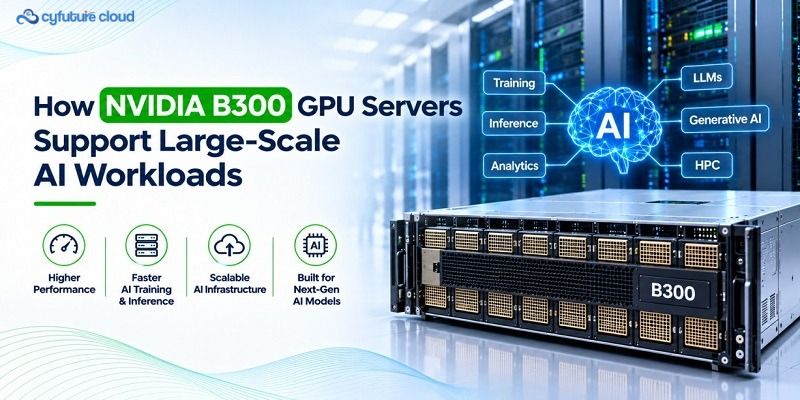
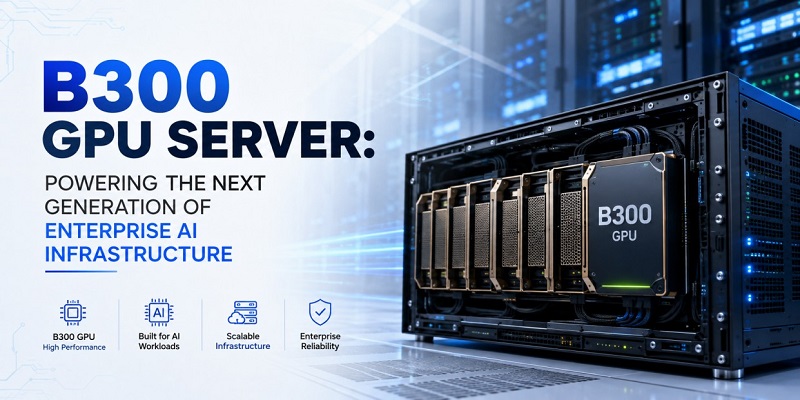
Cyfuture Cloud also states that its GPUaaS environment supports NVIDIA GPU families including H100, H200, A100, L40S, V100, and B300, with multi-GPU configurations and Kubernetes-based orchestration described on its GPUaaS page. Organisations should confirm current GPU availability, configurations, and commercial terms before finalising an architecture.
For high-density AI and HPC workloads, Cyfuture Cloud describes a liquid-cooled AI data centre, including stated support for rack densities above 240 kW and 10 MW of direct liquid-cooled AI data-centre capacity. Liquid-cooled GPU infrastructure can be relevant where dense GPU racks require substantial heat removal, but the appropriate cooling design still depends on the workload, facility, redundancy, and operational requirements.
Cyfuture Cloud’s published platform capabilities also include object, standard, nearline, coldline, and archival storage; Kubernetes; autoscaling and auto-provisioning tools; monitoring and logging; private connectivity options; and security services such as identity, encryption-related controls, network protection, and managed security offerings.
|
Area |
Cyfuture Cloud positioning |
|
GPU compute |
On-demand GPU instances, dedicated GPU clusters, and managed GPU infrastructure for AI, ML, HPC, and rendering. |
|
GPU options |
Published NVIDIA GPU families include H100, H200, A100, L40S, V100, and B300; availability and configurations should be confirmed before deployment. |
|
Distributed AI |
Multi-GPU configurations and Kubernetes-based orchestration are described for training and inference workloads. |
|
High-density infrastructure |
A liquid-cooled AI data centre is positioned for dense AI and HPC workloads. |
|
Storage and networking |
Object, block, and archival storage options are listed alongside high-bandwidth, low-latency networking and private connectivity services. |
|
Operations |
24/7 monitoring, expert support, infrastructure maintenance, and optimisation services are described. |
|
Security |
Access controls, network isolation, encryption, monitoring, identity services, and managed security offerings are listed. |
GPU infrastructure decision framework
|
Decision factor |
Questions to ask |
|
Workload type |
Is the workload training, fine-tuning, inference, HPC, or rendering? |
|
Duration |
Is the workload short-lived, bursty, seasonal, or continuous? |
|
GPU requirement |
What GPU type, memory, and interconnect does the workload need? |
|
Performance |
What throughput, latency, concurrency, or time-to-result target is required? |
|
Data |
Where does the data reside, and what are the residency and security requirements? |
|
Storage |
Can the data pipeline feed GPUs without creating bottlenecks? |
|
Networking |
Does the workload require multi-GPU or multi-node communication? |
|
Cooling |
Can the facility support the required power density and thermal load? |
|
Cost |
What is the total cost per training run, model, or inference request? |
|
Operations |
Does the team have the skills to operate GPU infrastructure at scale? |
|
Governance |
Are security, compliance, isolation, and audit requirements clearly defined? |
Deployment checklist
- Define the AI use case and success metrics.
- Estimate model size, dataset size, and workload duration.
- Determine GPU memory and interconnect requirements.
- Identify training, fine-tuning, and inference workloads separately.
- Assess data locality, storage throughput, and preprocessing needs.
- Plan networking for distributed workloads.
- Calculate power and cooling requirements.
- Define security, access-control, and compliance requirements.
- Select orchestration, scheduling, and observability tools.
- Benchmark using a representative workload.
- Track GPU utilisation, cost, latency, throughput, and failure rates.
- Review infrastructure design before scaling to production.
Performance evaluation guidance
Teams should benchmark with their own workloads rather than relying only on theoretical GPU performance. Theoretical FLOPS do not equal real-world performance. Actual results depend on model architecture, precision, batch size, data pipeline, parallelism, kernel efficiency, and system-level design.
Useful metrics include:
- Training throughput.
- Time to convergence.
- Inference latency.
- Tokens per second, where relevant.
- Requests per second.
- Concurrent-user performance.
- GPU utilisation.
- Memory utilisation.
- Network throughput and latency.
- Storage throughput and IOPS.
- Checkpoint time.
- Cost per training run.
- Cost per inference request.
- Infrastructure availability.
A representative benchmark should use production-like data, realistic batch sizes, actual preprocessing, and the intended parallelism strategy. It should also measure the full pipeline, not only GPU kernel execution.
FAQs
What is GPU as a Service?
GPU as a Service (GPUaaS) is a cloud consumption model that provides on-demand access to GPU compute for AI training, fine-tuning, inference, HPC, rendering, and related accelerated workloads. It allows teams to use GPU capacity without purchasing, housing, powering, cooling, or maintaining the underlying hardware.
Why is GPU infrastructure a bottleneck for enterprise AI?
Because AI workloads depend on more than GPU compute. Memory capacity, storage throughput, network performance, orchestration, security, power, cooling, and operational maturity all affect whether a model can be trained, deployed, and scaled reliably.
Is GPUaaS suitable for AI training and inference?
Yes. GPUaaS can support both AI training infrastructure and AI inference infrastructure. Training and fine-tuning often require high GPU memory, fast interconnects, and multi-GPU or multi-node capacity. Inference may require lower latency, predictable throughput, and cost-efficient serving capacity.
Does GPUaaS reduce infrastructure costs?
It can reduce upfront capital expenditure and the operational burden of owning hardware, but it does not automatically reduce total cost. Cost-effectiveness depends on workload duration, utilisation, GPU type, storage, networking, data transfer, and the chosen billing model.
What infrastructure components matter besides GPUs?
CPUs, GPU memory, storage, networking, orchestration, observability, security, power, and cooling all matter. A fast GPU can be underutilised if data cannot reach it quickly or if distributed workers cannot communicate efficiently.
When should an enterprise choose dedicated GPU capacity instead of on-demand GPUaaS?
Dedicated capacity may be appropriate for sustained, predictable workloads that require strong isolation, consistent performance, or long-term capacity assurance. On-demand GPUaaS is often better suited to experiments, short jobs, bursty demand, and workloads with uncertain duration.
How does Cyfuture Cloud support enterprise AI workloads?
Cyfuture Cloud offers GPU as a Service for AI training, fine-tuning, inference, HPC, and rendering, with on-demand and dedicated capacity options, managed infrastructure and advisory support, Kubernetes-based orchestration, storage and networking services, and a liquid-cooled AI data centre for high-density workloads.
Conclusion
Enterprise AI is increasingly constrained by infrastructure bottlenecks rather than by model quality or data availability alone. GPU availability, memory limits, interconnect performance, storage throughput, networking, power, cooling, software maturity, and cost control all determine whether an AI initiative can move from proof of concept to production.
GPU as a Service gives technology teams a way to access accelerated computing without carrying the full burden of owning and operating dedicated GPU hardware. It is most effective when paired with deliberate architecture: the right GPU configuration, a data pipeline that can feed compute, a network designed for distributed workloads, and governance controls aligned with business and regulatory requirements.
Planning AI training, fine-tuning, inference, or HPC workloads? Explore Cyfuture Cloud’s GPU as a Service to evaluate on-demand GPU infrastructure, networking, storage, security, and scaling requirements for your enterprise AI workloads.












Stay Ahead of the Curve.
Join the Cloud Movement, today!
Send this to a friend