
 Cloud
Hosting
VPS
Hosting
Cloud
Hosting
VPS
Hosting
 GPU
Cloud
GPU
Cloud
 Dedicated
Server
Dedicated
Server
 Server
Colocation
Server
Colocation
 Backup as a Service
 CDN
Network
CDN
Network
 Window
Cloud Hosting
Window
Cloud Hosting
 Linux Cloud
Hosting
Managed
Cloud Service
Linux Cloud
Hosting
Managed
Cloud Service
 Storage
as a Service
VMware Public
Cloud
Multi-Cloud
Hosting
Cloud
Server Hosting
Bare
Metal Server
Virtual
Machine
Storage
as a Service
VMware Public
Cloud
Multi-Cloud
Hosting
Cloud
Server Hosting
Bare
Metal Server
Virtual
Machine
 Magento
Hosting
Magento
Hosting
 Remote
Backup
Remote
Backup
 DevOps
 Kubernetes
 Cloud
Storage
Cloud
Storage
 NVMe
Hosting
NVMe
Hosting
 DR
as s Service
DR
as s Service
 API Gateway
TeraBox is a versatile cloud storage platform that allows users to share files via links. Many users, especially those on devices with limited storage or those who prefer not to install apps, ask: “How can I view TeraBox links without apps?” The good news is that TeraBox provides a seamless way to access shared content directly through web browsers.
In this article, we’ll guide you through the process and share tips for a smooth experience.
Accessing TeraBox Links via Web Browser
You don’t need a TeraBox app to view shared files. Here’s how to access them:
Open Your Browser: Use any modern browser, such as Chrome, Firefox, Edge, or Safari.
Enter the TeraBox Link: Paste the shared link into your browser’s address bar and press Enter.
Preview Files: TeraBox will often allow you to preview the content, including documents, images, videos, or folders, depending on the file type.
Download if Needed: Even without the app, you can download the files directly to your device by clicking the Download button.
This method works for both individual files and folders, making it convenient for users who do not want to install the TeraBox app.
Benefits of Viewing Links Without Apps
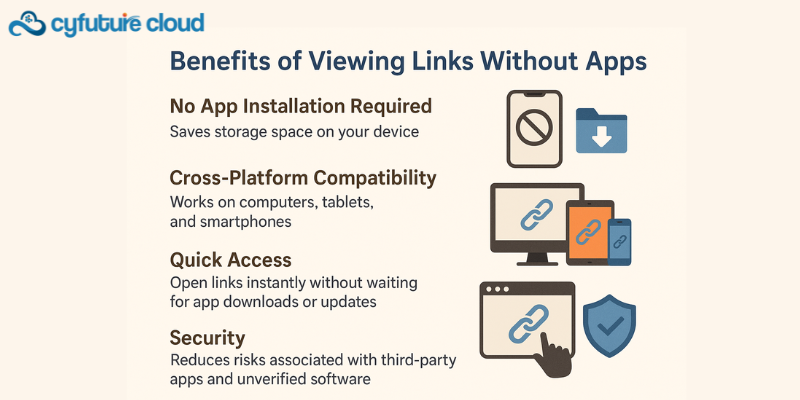
Accessing TeraBox links through a browser provides several advantages:
No App Installation Required: Saves storage space on your device.
Cross-Platform Compatibility: Works on computers, tablets, and smartphones.
Quick Access: Open links instantly without waiting for app downloads or updates.
Security: Reduces risks associated with third-party apps and unverified software.
This approach is especially useful for casual users, business partners, or clients who only need temporary access to files.
Best Practices for Safe Web Access
.png)
While viewing TeraBox links without apps is convenient, safety should remain a priority:
Verify the Source: Only open links from trusted senders to avoid phishing or malware.
Use a Secure Browser: Make sure your browser is up-to-date and supports HTTPS connections.
Avoid Public Networks: If the files are sensitive, use a private, secure network.
Download Only What You Need: Avoid downloading unnecessary files to minimize risk.
Following these steps ensures that your TeraBox link experience is both safe and efficient.
Downloading Multiple Files Without Apps
For folders or multiple files:
TeraBox web links often allow batch downloads, compressing the files into a ZIP archive.
This makes it easier to manage large amounts of content without installing any software.
Once downloaded, you can extract the files locally and organize them as needed.
Even without the app, you can maintain full access to shared content with minimal effort.
Limitations to Keep in Mind
.png)
While web access is convenient:
Some advanced features, like offline access or automatic syncing, require the official TeraBox app.
Viewing very large folders or files may be slower via a browser compared to the desktop client.
Editing cloud documents directly may not be supported in the web-only mode.
Despite these minor limitations, the website platform provides a robust and accessible way to view TeraBox links without installing apps.
Conclusion
Viewing TeraBox links without apps is simple, secure, and convenient. By using a modern web browser, you can preview and download shared files or folders without installing additional software. This makes TeraBox a flexible solution for users who want fast, hassle-free access to shared content.
Whether you are a casual user, a business partner, or a client, accessing TeraBox links through the browser ensures ease of use, cross-platform compatibility, and data security. With these tips, you can confidently manage shared content without the need for additional applications, enjoying the full benefits of TeraBox’s cloud storage and file-sharing capabilities.

Let’s talk about the future, and make it happen!






 Pricing
Calculator
Pricing
Calculator Unlock
Cost Optimization
Unlock
Cost Optimization Overview
 Documentation
 Price
Calculator
Price
Calculator Tools
Tools FAQs
FAQs Terms of
Service
Terms of
Service Privacy
Policy
Privacy
Policy
 Migration
 Container
 Power
Power
 Utilities
 VMware
Private Cloud
VMware
Private Cloud VMware on
AWS
VMware on
AWS VMware on
Azure
VMware on
Azure Certifications
 Customers
 Partners
 Careers
 Support
 Service
Level Agreement
Service
Level Agreement  Contact
