
 Cloud
Hosting
VPS
Hosting
Cloud
Hosting
VPS
Hosting
 GPU
Cloud
GPU
Cloud
 Dedicated
Server
Dedicated
Server
 Server
Colocation
Server
Colocation
 Backup as a Service
 CDN
Network
CDN
Network
 Window
Cloud Hosting
Window
Cloud Hosting
 Linux Cloud
Hosting
Managed
Cloud Service
Linux Cloud
Hosting
Managed
Cloud Service
 Storage
as a Service
VMware Public
Cloud
Multi-Cloud
Hosting
Cloud
Server Hosting
Bare
Metal Server
Virtual
Machine
Storage
as a Service
VMware Public
Cloud
Multi-Cloud
Hosting
Cloud
Server Hosting
Bare
Metal Server
Virtual
Machine
 Magento
Hosting
Magento
Hosting
 Remote
Backup
Remote
Backup
 DevOps
 Kubernetes
 Cloud
Storage
Cloud
Storage
 NVMe
Hosting
NVMe
Hosting
 DR
as s Service
DR
as s Service
 API Gateway
The NVIDIA H100 is one of the most powerful GPUs on the market today, designed for AI workloads, cloud computing, and high-performance computing (HPC). It is widely used in data centers, enterprise hosting, and cloud solutions like those offered by Cyfuture Cloud. However, as with any high-end hardware, there are concerns about reliability, failure rates, and long-term performance.
Understanding the failure rate of the H100 GPU is essential for businesses that rely on it for AI training, deep learning, and cloud-based applications. Failure rates can impact the overall efficiency, uptime, and cost-effectiveness of cloud hosting solutions. In this article, we will examine the failure rate of the H100 GPU, its potential causes, and how cloud providers mitigate these risks.
While NVIDIA does not publicly disclose specific failure rates, industry reports and data center statistics provide some insights:
The general failure rate for data center GPUs (including previous generations like the A100) typically ranges between 0.1% and 2% per year, depending on usage conditions.
Enterprise server-grade GPUs like the H100 are engineered for durability and typically have lower failure rates than consumer GPUs (e.g., RTX 4090, RTX 4080).
Early reports from cloud providers and hosting services indicate that the H100 has a lower-than-average failure rate, likely due to improvements in cooling, power efficiency, and architecture stability.
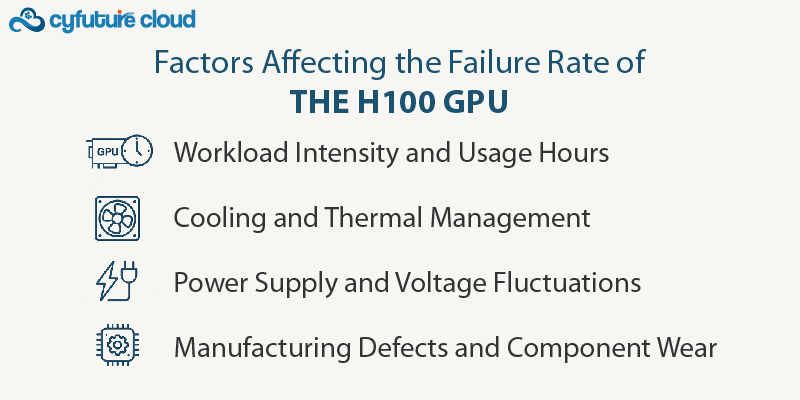
Several factors influence the failure rate of high-performance GPUs like the NVIDIA H100:
AI training and deep learning are highly demanding tasks that push GPUs to their limits.
The H100’s Tensor cores and HBM3 memory enable efficient computations, but running 24/7 AI workloads increases stress, leading to higher failure probabilities over time.
GPUs used in cloud-based AI hosting environments (like those in Cyfuture Cloud) undergo heavy usage but are often better maintained than personal GPUs.
Overheating is one of the leading causes of GPU failures.
The H100 features advanced cooling solutions, but improper data center thermal management can lead to degradation.
Cloud providers and hosting services implement liquid cooling and optimized airflow to reduce failures caused by heat buildup.
Unstable power delivery can cause sudden failures in data center GPUs.
The H100 consumes up to 700W, requiring a high-quality power infrastructure.
Enterprise-grade hosting solutions, such as Cyfuture Cloud, employ redundant power supplies and surge protection to minimize failures.
While rare, hardware defects during production can lead to early GPU failures.
NVIDIA performs extensive quality control, but no hardware is immune to occasional manufacturing defects.
Most cloud hosting providers have replacement policies and warranties to manage defective units.
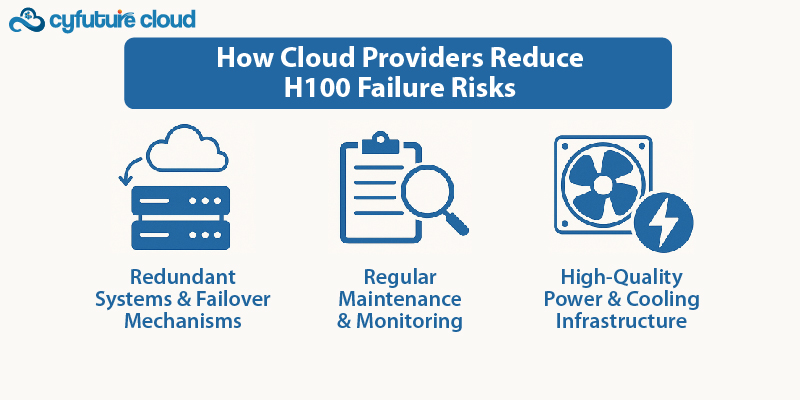
Since the H100 GPU is widely used in cloud computing, cloud providers have strategies to minimize downtime due to failures:
Cloud hosting solutions use multiple GPUs in clusters to ensure continuous operation.
If one H100 GPU fails, workloads automatically shift to another, preventing disruptions.
AI-driven GPU monitoring detects early signs of failure, such as temperature spikes, voltage drops, or memory errors.
Cloud providers like Cyfuture Cloud use predictive maintenance to replace GPUs before they fail completely.
Data centers hosting H100 GPUs invest in liquid cooling, advanced airflow systems, and power redundancy.
Keeping GPUs at optimal temperatures (50-70°C) helps extend lifespan and reduce failure rates.
Compared to previous generations like the A100 and V100, the H100 shows improved durability due to architectural advancements:
These improvements indicate that the H100 is more reliable than its predecessors, making it a solid choice for cloud-based AI and high-performance computing.
For businesses using cloud-based GPU hosting, the H100’s failure rate is low enough that concerns are minimal. However, proper maintenance, workload balancing, and choosing a reliable cloud provider can further mitigate risks.
Enterprise AI projects requiring high uptime should opt for cloud providers with redundant GPU clusters.
Businesses leveraging Cyfuture Cloud for AI workloads benefit from enterprise-grade hosting, cooling, and failover protections.
Predictive monitoring tools can alert businesses about potential failures before they cause downtime.
The GPU failure rate refers to the percentage of Graphics Processing Units (GPUs) that experience malfunctions, defects, or complete failure within a given time period after manufacturing. It’s an important metric for manufacturers, tech enthusiasts, and companies that rely on GPUs for heavy workloads like gaming, AI, and high-performance computing (HPC).
Failure rates are typically measured through reliability testing and can vary based on several factors, including manufacturing quality, usage patterns, environmental conditions, and GPU architecture. The GPU failure rate is often an indicator of the durability and long-term performance of a particular model or brand.
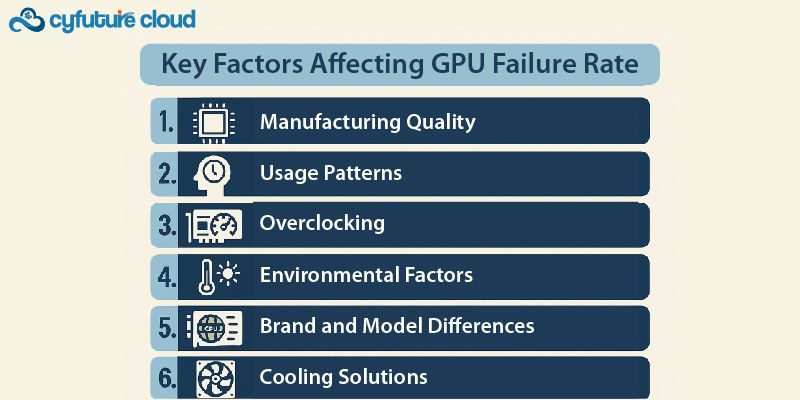
1. Manufacturing Quality
◾ GPUs that undergo rigorous testing and quality control during the manufacturing process are likely to have a lower failure rate.
◾ Lower-quality materials or poor production processes can increase the likelihood of defects and failures.
2. Usage Patterns
◾ Heavy usage like gaming, video rendering, AI training, or cryptocurrency mining puts significant strain on GPUs, potentially leading to higher failure rates.
◾ Prolonged or continuous use without proper cooling can cause overheating, affecting the GPU's longevity.
3. Overclocking
◾ Overclocking increases the GPU's performance beyond factory-set limits, which can cause excessive heat and stress on the hardware.
◾ Overclocking without adequate cooling solutions can significantly raise the failure rate over time.
4. Environmental Factors
◾ Heat: Inadequate cooling or high ambient temperatures can lead to overheating, resulting in thermal throttling or failure.
◾ Electrical Issues: Power surges, insufficient power supply, or faulty connections can damage GPU components, increasing failure rates.
◾ Dust and Debris: Build-up of dust in cooling systems can obstruct airflow, causing higher temperatures and increasing the risk of GPU failure.
5. Brand and Model Differences
◾ Brand Reputation: Well-established brands, such as NVIDIA and AMD, often have lower failure rates due to higher manufacturing standards and rigorous testing.
◾ Model Design: Some GPU models are more susceptible to failure due to design flaws or weaknesses in specific components (e.g., VRAM, capacitors).
6. Cooling Solutions
◾ Aftermarket cooling solutions (e.g., custom cooling setups or liquid cooling) can reduce the temperature of the GPU, helping it operate more efficiently and lowering the risk of failure.
◾ Inadequate cooling or relying on stock fans can increase the failure rate, especially during high-performance tasks.
What Causes GPU Failure?
◾ Overheating: The most common cause of GPU failure. GPUs generate a lot of heat under load, and if not properly cooled, they can suffer from thermal damage.
◾ Power Surges: Sudden spikes in voltage can damage a GPU’s components, causing it to malfunction or stop working entirely.
◾ Physical Damage: Dropping a GPU, mishandling it during installation, or improper installation can result in physical damage to the GPU or its connectors.
◾ Defective Manufacturing: Sometimes, GPUs may have inherent flaws due to defects in the manufacturing process, leading to failure even with normal use.
◾ Aging Components: Over time, components like capacitors and transistors may degrade, leading to performance issues or outright failure.
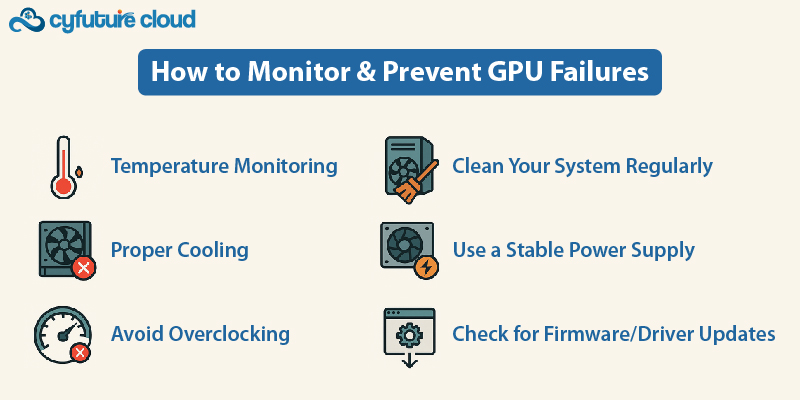
1. Temperature Monitoring: Regularly monitor GPU temperatures to ensure they stay within safe limits. Use tools like MSI Afterburner or HWMonitor to track GPU usage, temperatures, and fan speeds.
2. Proper Cooling: Invest in high-quality cooling solutions (air cooling, liquid cooling, or aftermarket cooling units) to prevent overheating.
3. Avoid Overclocking (or Overclock Responsibly): Overclock only if you have a suitable cooling system in place. Use software to monitor temperature and voltage while overclocking.
4. Clean Your System Regularly: Dust buildup can obstruct airflow, so keep your PC or laptop free from dust. Regularly clean the GPU fans and the interior of your case.
5. Use a Stable Power Supply: Ensure your PSU is of high quality and has the appropriate wattage to avoid power surges or fluctuations.
6. Check for Firmware/Driver Updates: Sometimes GPU failures are caused by software bugs or firmware issues. Keep your GPU drivers updated and check the manufacturer’s website for any firmware updates that might improve stability.
◾ NVIDIA and AMD typically have low failure rates, with most GPUs lasting 3-5 years under normal usage.
◾ High-end GPUs used in professional environments (AI, ML, HPC) often come with extended warranties (3 years or more), providing assurance against failures.
◾ For consumer-level GPUs, the failure rate is usually below 5% in the first 2 years, assuming proper care.
Most GPU manufacturers offer warranties that cover hardware defects and failures within a certain period (usually 1-3 years). If your GPU fails within this time frame, you can return it for a replacement or repair. It's also important to check the return policy of the retailer.
The NVIDIA H100 GPU is a high-performance, enterprise-grade graphics processor designed for cloud computing, AI training, and deep learning. While failure rates are inevitable in any hardware, the H100 has a lower-than-average failure rate, thanks to better cooling, power efficiency, and advanced monitoring capabilities.
For businesses utilizing cloud-based AI solutions, choosing a reliable cloud hosting provider like Cyfuture Cloud ensures minimal downtime and optimal GPU performance. The H100’s improved architecture, power efficiency, and reliability make it one of the best choices for cloud computing and AI-driven workloads.

Let’s talk about the future, and make it happen!






 Pricing
Calculator
Pricing
Calculator Unlock
Cost Optimization
Unlock
Cost Optimization Overview
 Documentation
 Price
Calculator
Price
Calculator Tools
Tools FAQs
FAQs Terms of
Service
Terms of
Service Privacy
Policy
Privacy
Policy
 Migration
 Container
 Power
Power
 Utilities
 VMware
Private Cloud
VMware
Private Cloud VMware on
AWS
VMware on
AWS VMware on
Azure
VMware on
Azure Certifications
 Customers
 Partners
 Careers
 Support
 Service
Level Agreement
Service
Level Agreement  Contact
