Get 69% Off on Cloud Hosting : Claim Your Offer Now!





- Products
- Solutions
-
Solutions
-
 Cloud
Hosting
Cloud
Hosting
-
VPS
Hosting
-
 GPU
Cloud
GPU
Cloud
-
 Dedicated
Server
Dedicated
Server
-
 Server
Colocation
Server
Colocation
-
 Backup as a Service
-
 CDN
Network
CDN
Network
-
 Window
Cloud Hosting
Window
Cloud Hosting
-
 Linux
Cloud Hosting
Linux
Cloud Hosting
-
Managed
Cloud Service
-
 Storage
as a Service
Storage
as a Service
-
VMware
Public Cloud
-
Multi-Cloud
Hosting
-
Cloud
Server Hosting
-
Bare
Metal Server
-
Virtual
Machine
-
 Magento
Hosting
Magento
Hosting
-
 Remote
Backup
Remote
Backup
-
 DevOps
-
 Kubernetes
-
 Cloud
Storage
Cloud
Storage
-
 NVMe
Hosting
NVMe
Hosting
-
 DR
as s Service
DR
as s Service
-
-
Solutions
- Marketplace
- Pricing
- Resources
- Company
 Remote
Backup
Remote
Backup NVMe
Hosting
NVMe
Hosting Pricing
Calculator
Pricing
Calculator Unlock Cost
Optimization
Unlock Cost
Optimization Overview
 Documentation
 Price
Calculator
Price
Calculator Tools
Tools FAQs
FAQs Terms
of Service
Terms
of Service Privacy
Policy
Privacy
Policy
 Migration
 Container
 Power
Power
 Utilities
 VMware
Private Cloud
VMware
Private Cloud VMware
on AWS
VMware
on AWS VMware
on Azure
VMware
on Azure Certifications
 Partners
 Careers
 Support
 Service
Level Agreement
Service
Level Agreement  Contact
Table of Contents
- What Is Cloud Hosting?
- The Evolution of Hosting: From Shared to Cloud
- How Cloud Hosting Works (Deep Technical Explanation)
- Key Benefits of Cloud Hosting
- Managed Cloud Hosting Explained
- Cloud Hosting vs VPS vs Dedicated (Advanced Comparison)
- Cloud Hosting Pricing Breakdown (Detailed Example)
- Multi-Cloud and Hybrid Cloud Hosting
- Cloud Hosting Use Cases
- When Should You Choose Cloud Hosting?
- When Cloud Hosting May Not Be Necessary
- Cloud Hosting vs Traditional Hosting
- How to Choose the Right Cloud Hosting Provider
- Security in Cloud Hosting Environments
- Compliance & Regulatory Standards
- Final Thoughts
- FAQs:
Cloud hosting is a modern infrastructure model that uses a distributed network of virtual and physical servers to host websites, applications, and workloads. Unlike traditional hosting that relies on a single machine, cloud hosting pulls resources from multiple servers, ensuring high availability, scalability, and fault tolerance.
As businesses move toward digital-first operations, cloud web hosting has become the preferred solution for startups, enterprises, SaaS platforms, eCommerce brands, and application-driven companies.
According to Gartner, more than 85% of organizations will adopt a cloud-first strategy by 2025, reflecting the widespread shift toward scalable cloud infrastructure.
(Source: Gartner Forecast Analysis – Cloud End-User Spending Report)
What Is Cloud Hosting?
Cloud hosting (also known as cloud-based hosting or cloud server hosting) is a type of web hosting where your website or application runs on a cluster of interconnected servers rather than a single physical server.
These servers work together as a unified system. Resources such as CPU, RAM, and storage are dynamically allocated based on demand.
Instead of being tied to one machine, your infrastructure exists in a virtualized environment powered by distributed computing.
IDC estimates that worldwide spending on public cloud services will exceed $1 trillion by 2027, fueled by AI workloads, SaaS platforms, and scalable hosting infrastructure.
(Source: IDC Worldwide Public Cloud Services Forecast)
To understand cloud hosting properly, it helps to see how hosting evolved.
- Multiple websites share a single server.
- Limited control.
- Low cost.
- Performance depends on other users.
2. VPS (Virtual Private Server)
- One physical server divided into virtual machines.
- Dedicated resources within a shared environment.
- More control than shared hosting.
3. Dedicated Hosting
- One physical server allocated to one client.
- Full control.
- Expensive and less flexible.
4. Cloud Hosting
- Multiple physical servers connected via virtualization.
- Scalable resources.
- Automatic failover.
- Usage-based pricing.
Cloud hosting combines the performance of dedicated hosting with the flexibility of VPS — and adds distributed redundancy.
How Cloud Hosting Works (Deep Technical Explanation)
Cloud hosting operates across several layers of infrastructure:
1. Physical Infrastructure Layer
At the base are data centers containing:
- Rack-mounted physical servers
- High-speed networking hardware
- Storage arrays
- Redundant power systems
- Cooling infrastructure
Cloud providers distribute these across multiple geographic regions.
2. Virtualization Layer
A hypervisor (such as KVM, Xen, or VMware) sits on top of physical servers and creates multiple virtual machines (VMs).
Each VM:
- Has its own operating system
- Has allocated CPU, RAM, and storage
- Operates independently
This enables efficient hardware utilization.
3. Resource Pooling
Instead of assigning fixed hardware to a single user, cloud hosting pools resources.
For example:
If your application suddenly needs more RAM:
- The system dynamically assigns more from the resource pool.
- No hardware upgrade required.
- No downtime required.
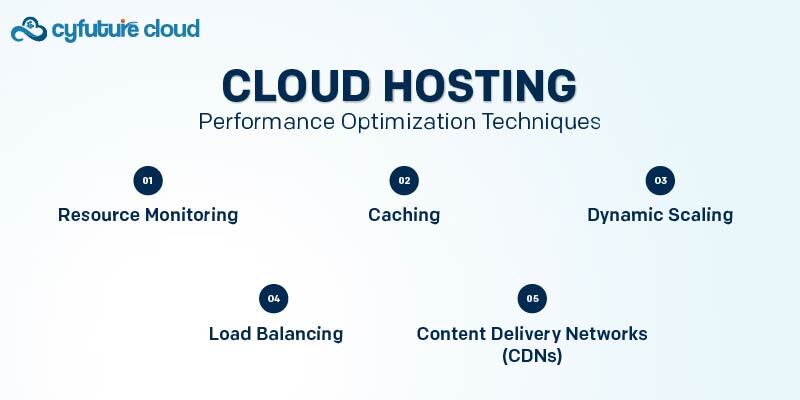
4. Load Balancing
Load balancers distribute incoming traffic across multiple servers.
Benefits:
- Prevent overload
- Improve response time
- Ensure high availability
5. Data Replication & Failover
Cloud hosting environments replicate data across multiple nodes.
If one server fails:
- Another node immediately takes over.
- Users may not even notice the disruption.
This eliminates single points of failure.
Key Benefits of Cloud Hosting
1. Elastic Scalability
Cloud hosting allows horizontal and vertical scaling.
Vertical Scaling:
Increase RAM or CPU within the same VM.
Horizontal Scaling:
Add more instances to handle traffic spikes.
Google research indicates that a 1-second delay in mobile page load time can reduce conversions by up to 20%.
(Source: Google/SOASTA Mobile Page Speed Research)
Example:
An eCommerce store running a flash sale can instantly scale from 2 servers to 10 servers—then scale back down after the sale ends.
2. High Availability
Cloud hosting environments are designed for redundancy.
Common uptime SLAs:
- 99.9%
- 99.99%
- 99.999% (enterprise-level)
This is significantly higher than traditional hosting setups.
3. Performance Optimization
Cloud hosting supports:
- NVMe SSD storage
- Global CDN integration
- Edge caching
- Dedicated IP allocation
- Optimized networking routes
This improves:
- Page load speed
- Time to first byte (TTFB)
- Core Web Vitals performance
4. Pay-As-You-Go Pricing
Unlike traditional hosting, cloud hosting often charges based on:
- Compute hours
- Storage usage
- Data transfer
- Add-on services
This prevents overpaying for unused capacity.
5. Enhanced Security
Cloud hosting environments often include:
- Network firewalls
- Web Application Firewalls (WAF)
- DDoS protection
- Encryption (SSL/TLS)
- Role-based access control (RBAC)
- Automated backups
- Snapshot recovery
Advanced setups may include:
- Zero-trust architecture
- Intrusion detection systems (IDS)
- Security Information and Event Management (SIEM)
Managed Cloud Hosting Explained
Managed cloud hosting means the provider handles infrastructure management.
This typically includes:
- Server deployment
- OS patching
- Monitoring
- Security updates
- Backup management
- Performance optimization
- 24/7 technical support
This is ideal for businesses without in-house DevOps teams.
Cloud Hosting vs VPS vs Dedicated (Advanced Comparison)
|
Feature |
VPS |
Dedicated |
Cloud Hosting |
|
Physical Hardware |
Shared |
Single Tenant |
Distributed |
|
Downtime Risk |
Medium |
Low |
Very Low |
|
Scalability |
Limited |
Manual |
Instant |
|
Pricing |
Fixed |
Fixed |
Flexible |
|
Redundancy |
Limited |
Limited |
Built-in |
|
Disaster Recovery |
Manual |
Manual |
Automated |
Cloud Hosting Pricing Breakdown (Detailed Example)
Example Scenario:
A SaaS platform requires:
- 8 vCPUs
- 16GB RAM
- 200GB SSD storage
- 5TB monthly bandwidth
Pricing components may include:
- Compute cost per hour
- Storage cost per GB
- Bandwidth transfer charges
- Backup storage cost
- Managed service fee (if applicable)
Some providers offer reserved instances at discounted rates for long-term commitments.
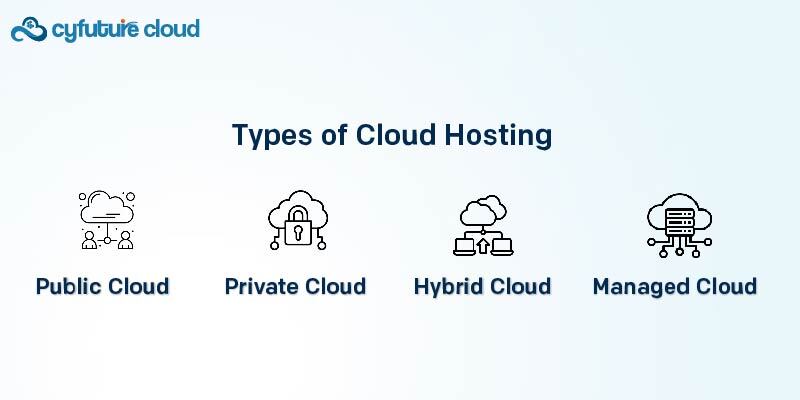
Multi-Cloud and Hybrid Cloud Hosting
Modern businesses often adopt:
Multi-Cloud Strategy
Using multiple cloud providers simultaneously.
Benefits:
- Avoid vendor lock-in
- Redundancy across platforms
- Cost optimization
Hybrid Cloud Strategy
Combining:
- Private cloud
- Public cloud
- On-premise infrastructure
This is common in enterprise IT environments.
Cloud Hosting Use Cases
Cloud hosting is commonly used for:
- SaaS platforms
- E-learning systems
- Enterprise ERP systems
- Healthcare platforms
- FinTech applications
- AI and machine learning workloads
- DevOps CI/CD pipelines
- Microservices architecture
When Should You Choose Cloud Hosting?
Choose cloud hosting if:
- Your traffic fluctuates
- You expect rapid growth
- You need high uptime
- You require global presence
- You run mission-critical applications
When Cloud Hosting May Not Be Necessary
Cloud hosting may not be cost-effective for:
- Low-traffic static websites
- Hobby blogs
- Local businesses with predictable traffic
Cloud Hosting vs Traditional Hosting
|
Feature |
Shared Hosting |
VPS |
Dedicated |
Cloud Hosting |
|
Scalability |
Limited |
Moderate |
Manual |
Instant |
|
Reliability |
Low |
Medium |
High |
Very High |
|
Redundancy |
No |
Limited |
Limited |
Built-in |
|
Traffic Handling |
Poor |
Moderate |
Good |
Excellent |
|
Pricing Model |
Fixed |
Fixed |
Fixed |
Pay-as-you-go |
Cloud hosting combines high performance with flexibility, making it suitable for growing businesses and high-demand workloads.
How to Choose the Right Cloud Hosting Provider
When evaluating a cloud hosting provider, consider:
1. SLA Guarantees
Look for 99.9%+ uptime guarantees.
2. Infrastructure Stack
- Hypervisor used
- Storage type
- Network redundancy
3. Data Center Locations
Closer proximity improves latency.
4. Support Availability
- 24/7 technical support
- Dedicated account managers (enterprise level)
5. Security Certifications
- ISO 27001
- SOC 2
- GDPR compliance
6. Scalability Features
- Auto-scaling
- API access
- Infrastructure as Code (IaC) support
Security in Cloud Hosting Environments
Security is a critical factor when evaluating a cloud hosting provider.
Enterprise-grade cloud infrastructure commonly includes:
- Data encryption (in transit and at rest)
- Web Application Firewalls (WAF)
- DDoS protection
- Intrusion detection systems
- Role-based access control
- Multi-factor authentication
- Automated backups
Compliance & Regulatory Standards
Reputable cloud hosting providers align with recognized compliance frameworks, such as:
- ISO 27001 – Information Security Management
- SOC 2 Type II – Operational security controls
- GDPR – Data protection compliance
- PCI-DSS – Secure payment processing
When choosing a cloud hosting provider, verifying certifications and SLA commitments helps ensure long-term operational reliability.
Final Thoughts
Cloud hosting has transformed how modern businesses deploy and scale digital infrastructure. By leveraging distributed architecture, virtualization, and elastic resource allocation, cloud-based hosting delivers superior reliability, performance, and scalability compared to traditional hosting models.
Whether you choose unmanaged cloud hosting for full control or managed cloud hosting for operational simplicity, the key is aligning your hosting infrastructure with your business growth strategy.
As digital workloads continue to expand in 2026 and beyond, cloud hosting remains a foundational technology powering the modern internet.
FAQs:
Is cloud hosting secure?
Yes, when properly configured. Security depends on both provider infrastructure and user configuration.
For growing businesses and applications, yes — due to scalability and reliability.
Does cloud hosting improve SEO?
Indirectly, yes. Faster load speeds and higher uptime can improve Core Web Vitals and user experience, which influence rankings.
What is the difference between cloud hosting and cloud computing?
Cloud hosting refers specifically to hosting infrastructure. Cloud computing includes broader services such as storage, AI tools, databases, and serverless computing.
Author Bio:
Sneha is a cloud infrastructure specialist with over 10+ years of experience in designing, deploying, and optimizing enterprise cloud environments. She has worked on multi-region cloud architectures, high-availability systems, Kubernetes deployments, and secure DevOps pipelines across public and hybrid cloud environments.

Recent Post

















Stay Ahead of the Curve.
Join the Cloud Movement, today!
Send this to a friend